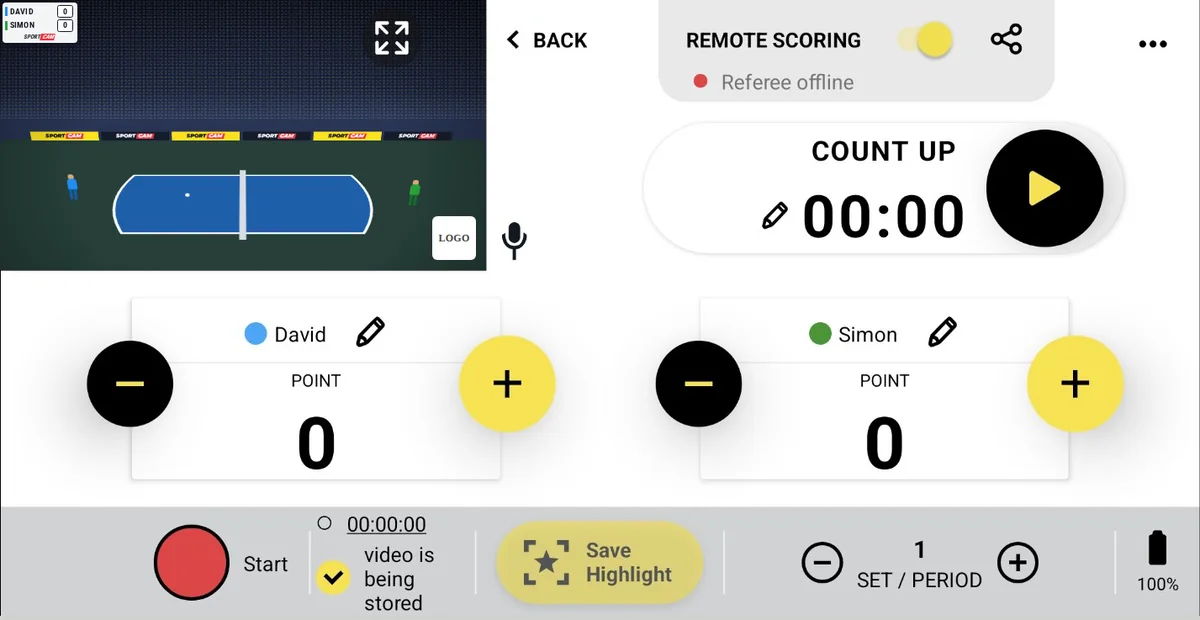
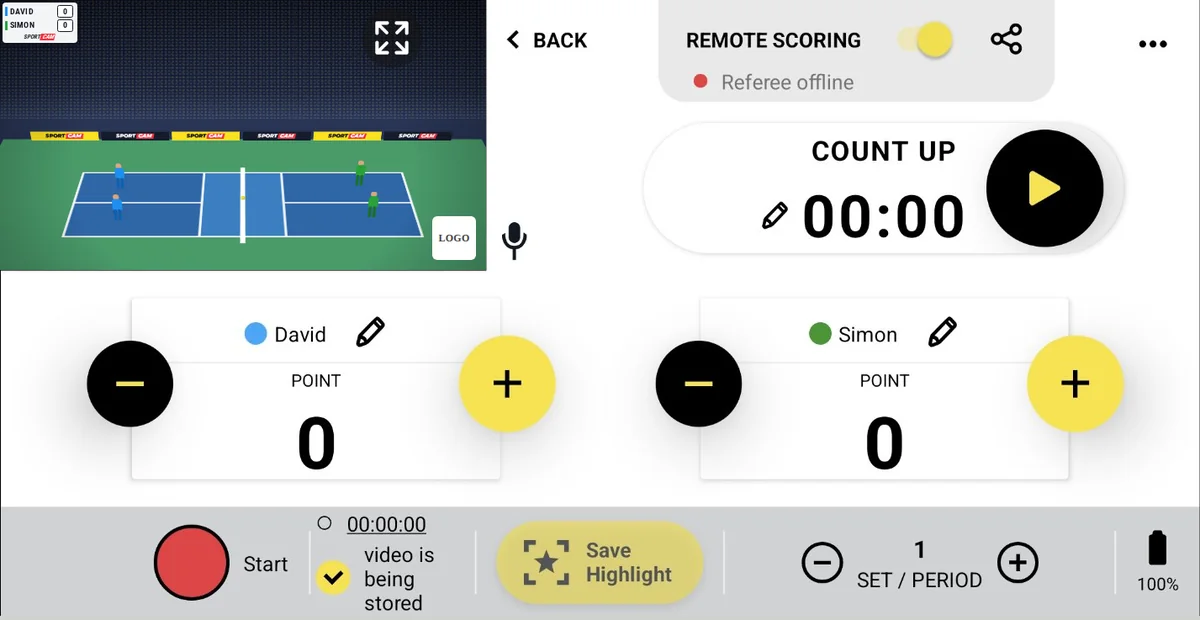
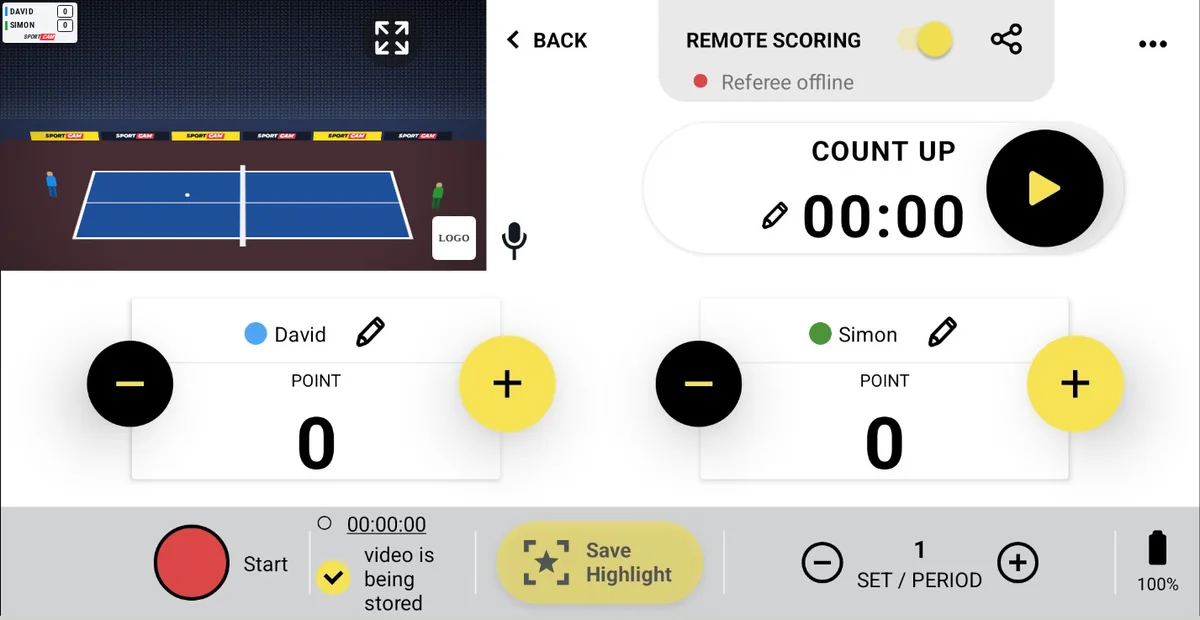
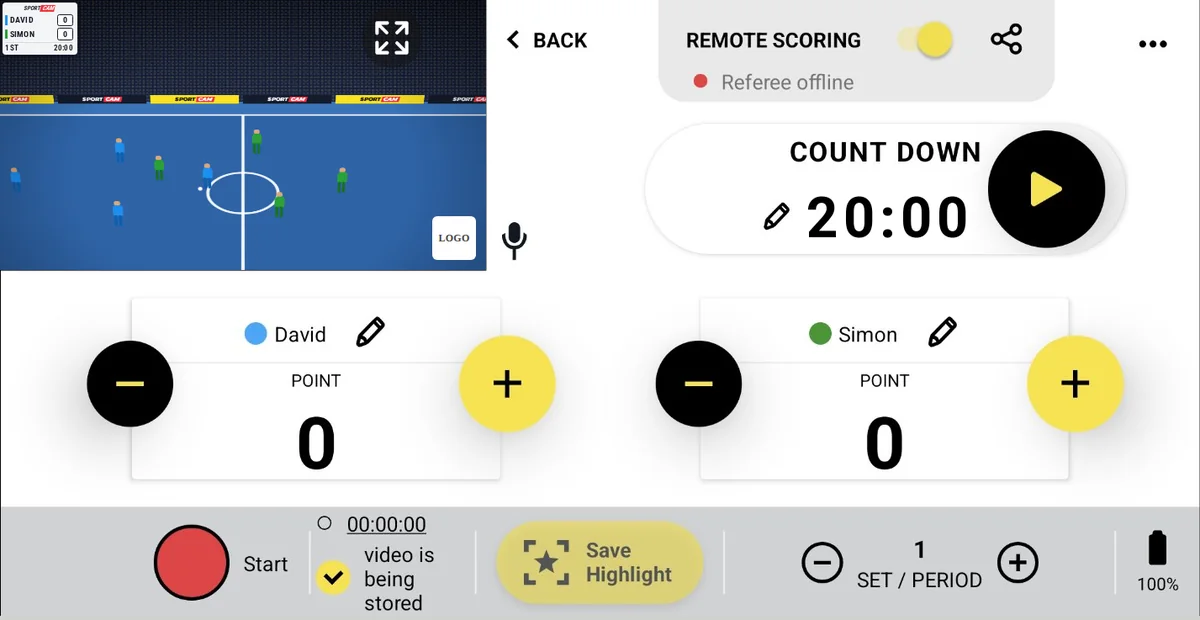
Your phone.
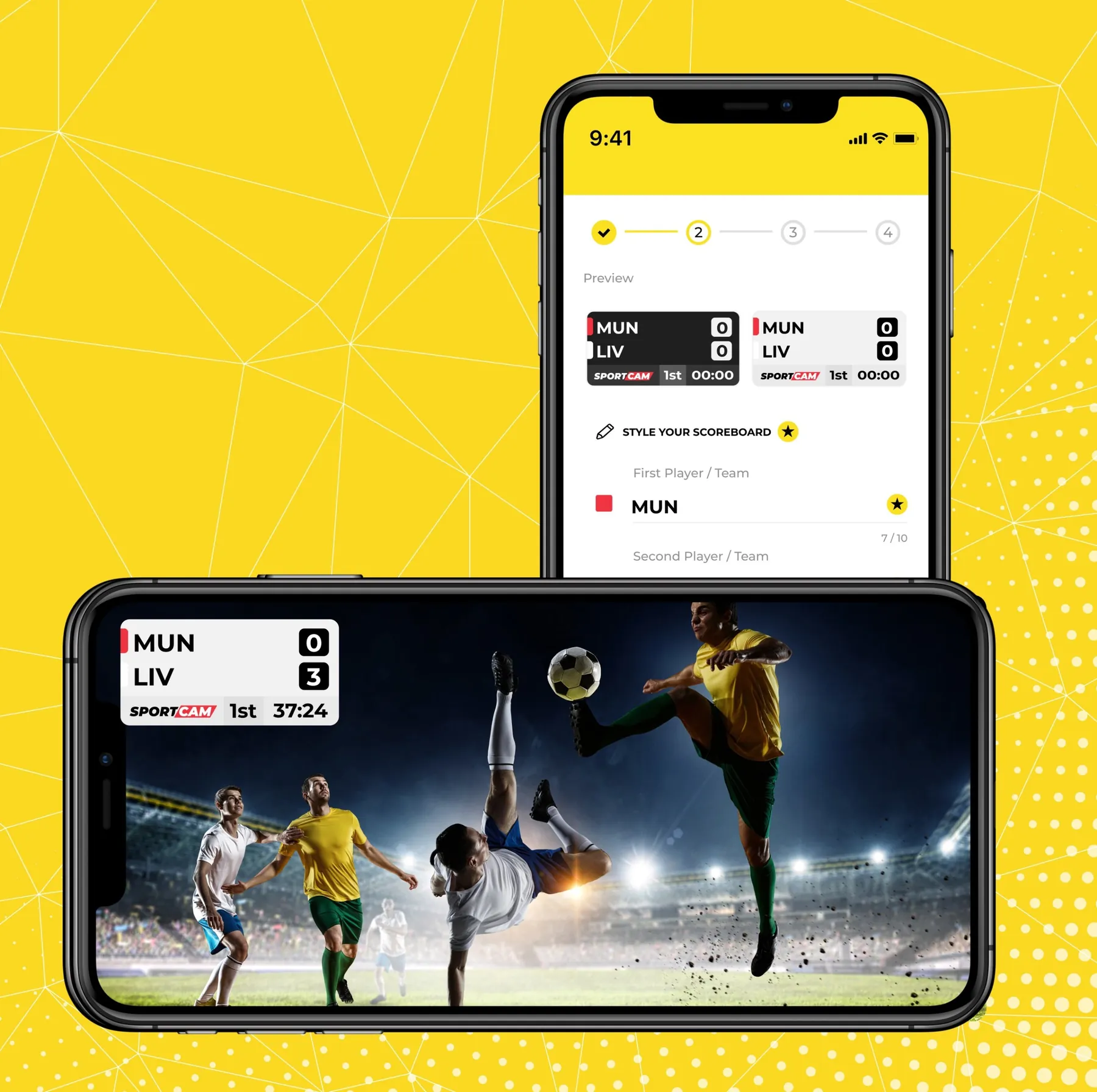
A TV-style sports broadcast.

Live scoreboard overlay, team names and sponsor logos on your video — streaming to Facebook, YouTube or any RTMP platform in under 60 seconds. No crew. No hardware. No experience needed.

4.4★Google Play · 10K+ reviews
250K+matches streamed
24sports
9languages
How it works

Live in 3 steps

1

Pick your sport

Choose from 24 sports — each comes with a ready-made scoreboard, timer and scoring rules. No configuration needed.

2

Connect your platform

Log in to Facebook or YouTube, or paste any RTMP address (Twitch and more). You can also record to your phone only.

3

Go live & score

Point your phone at the game and update the score with one tap — or hand scoring to a friend with Remote Scoring.

24 sports

Built for your sport

Every sport gets its own scoreboard layout, period logic and timer — designed for how the game is actually played.

New · Out now on iOS & Android

Every great moment, one tap away

Save the best moments of the match while you stream, replay them live for your viewers and finish the game with a recap video that's ready to share.

★ PROIncluded in SportCam PRO. Try it free for 1 week.

Save Highlight

Tap once after a goal, a block or a buzzer-beater. SportCam keeps the last seconds of video on your phone and the live stream keeps running.

Your clip length

Pick 5, 10, 15 or 20 seconds when you set up the stream: short for basketball, longer for football. SportCam remembers your choice.

Instant Replay on live

After each Highlight, SportCam asks if you want to show it on stream. Viewers see the replay without sound, and the camera comes back by itself. You can stop it at any time.

Saved Highlights gallery

Your clips grouped by match, and your recap videos in a separate tab. Tap to play, or open the folder on your phone to share.

Match recap in one video

When you stop the stream, all your Highlights are already selected. Trim them if needed and tap Create video: one Full HD file with the scoreboard, ready for YouTube or Facebook. You can also make it later.

Lions2 : 1Eagles2H · 67'
LIVE
✓ Highlight savedlast 10 seconds
Show the replay on stream?Show replay
Save Highlight
12'
34'
51'
67'
Match recap3 clips · 0:30YouTube · Facebook

Save during the match, replay it live, share the recap after the final whistle.

Features

Everything you need to broadcast like TV

⭐

Highlights & Instant Replay New

Save the best moments with one tap, replay them live and turn them into a match recap video. See how it works →

📺

Live scoreboard overlay

Score, timer, sets and team logos rendered live on your video — fully editable during the stream.

📱

Remote Scoring

Share a QR code and let a second person control the scoreboard from their own device — no app install required.

🖼️

Break graphics & ads

Full-screen graphics or sponsor ads during timeouts, with a countdown timer for viewers.

🤝

Sponsor logos

Up to 6 rotating sponsor logos on your stream — monetize your broadcast from day one.

🌐

Facebook, YouTube, RTMP

Stream to a Facebook profile or page, your YouTube channel, or Twitch and any platform via RTMP.

💾

Record to phone memory

No internet at the venue? Enable recording and save the full match with scoreboard to your phone.

🏟️

Full-width club banner

A professional 1920×200 banner with your club branding across the bottom of the broadcast.

🗣️

9 languages

English, Spanish, French, German, Italian, Polish, Portuguese, Russian and Hindi.

Live examples

Lives by our customers

Real broadcasts, streamed with a phone and SportCam.

Võru SK vs Bigbank Tartu

Volleyball · Estonia. U20 league match with a column for every set.

CUS Torino vs Pallacanestro Moncalieri

Basketball · Italy. Under-15 game, live for families and fans.

São Paulo vs Guarani

Handball · Brazil. Club match with score, half and clock on screen.

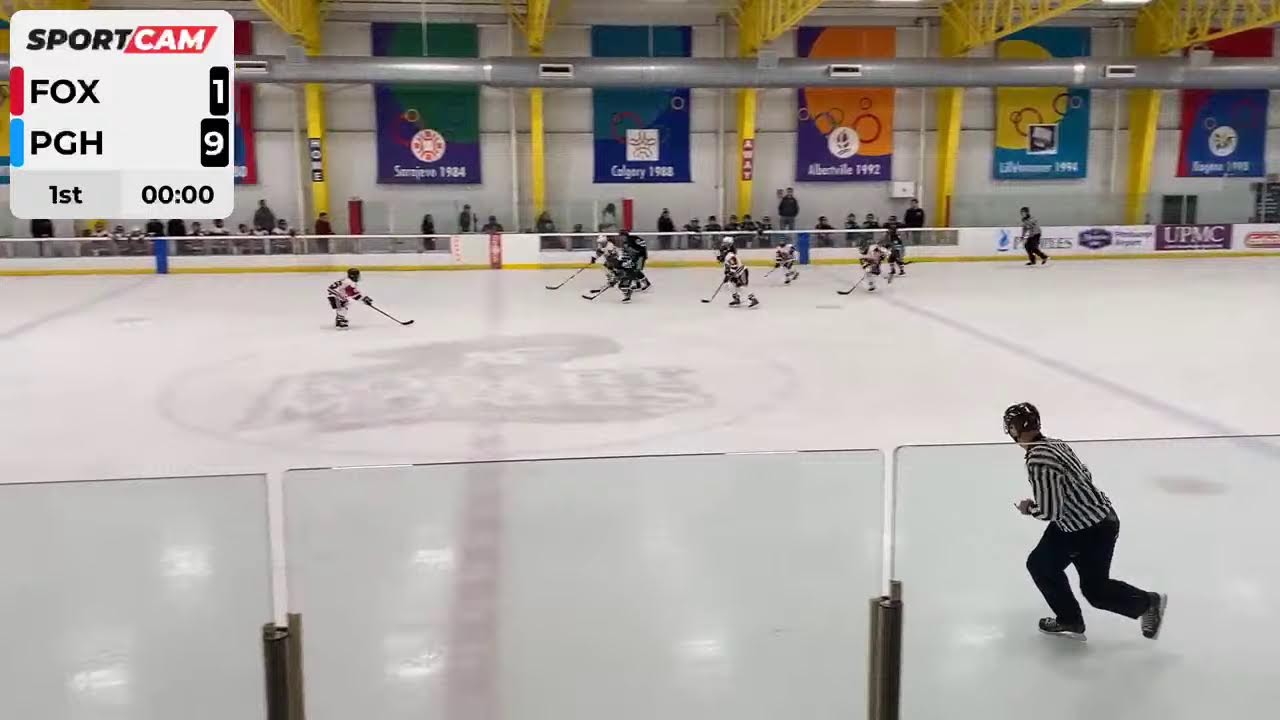
FOX vs PGH

Ice Hockey. Hockey game with period and clock, filmed from the boards.

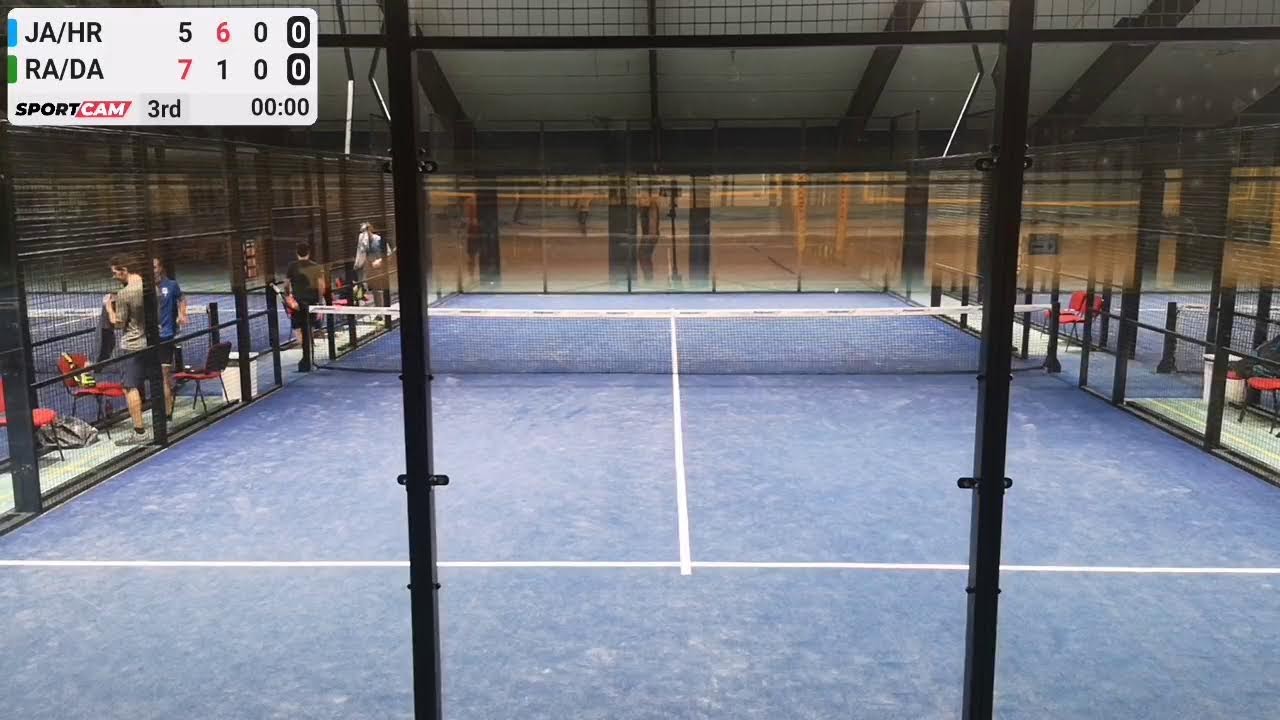
Ranking Liga II, Wallau

Padel · Germany. League doubles with points, games and sets.

SK Bronka 2 vs FK Sevliush

Football · Ukraine. Local league match on a sunny afternoon.

★★★★★
"Great app. Been livestreaming youth hockey for parents during the pandemic. Highly recommended"Adam Whynott · Play Store
★★★★★
"I have looked everywhere for a scoreboard app and this is the best one and you can actually live stream it on YouTube or Facebook"Samuel O'Sing · Play Store
★★★★★
"Absolutely mandatory for any amateur sports team wishing to stream their games!"Alexander Liquid · Play Store
Pricing

Simple pricing

Start free with a full week of PRO. No credit card needed.

Free

€0
forever
  • 1 week of full PRO trial
  • Unlimited live streams to Facebook / YouTube
  • Score, timer & sets control
  • Now freeEdit team & player names
  • Recording to phone memory
Download free

PRO Monthly

From€10/month
The price depends on your country. Install the app to see your exact price.
  • Everything in Free, plus:
  • NewHighlights, Instant Replay & match recaps
  • Team logos
  • Remote Scoring
  • Sponsor logos & break ads
  • Scoreboard styles
  • RTMP streaming (Twitch & more)
  • No SportCam watermark
Start free trial
SportCam Academy

From first stream to pro production

Step-by-step guides and video tutorials in three levels — pick where you are and start there.

1
Level 1 — Getting started

Your first stream in 60 seconds

Account setup, connecting Facebook or YouTube (incl. the 50-subscriber rule), choosing your sport and the pre-match phone checklist.

2
Level 2 — Match day

Run a full match like a pro

Scoreboard control, Remote Scoring with a second device, break graphics, sponsor logos, Highlights with Instant Replay and recording to phone memory.

3
Level 3 — Pro production

Advanced broadcasts for clubs

RTMP & Twitch, full-width club banners, custom scoreboard styles, match recap videos and tournament mode with Rankedin.

Full SportCam Tutorial — everything from setup to your first broadcast

FAQ

Frequently asked questions

Answers to what our users actually ask — straight from our support inbox.

My stream freezes or cuts out during the match. What can I do?
Run our pre-match checklist:
  1. Update SportCam to the latest version.
  2. Use one network only — Wi-Fi or mobile data; on iPhone turn off Wi-Fi Assist.
  3. Close other apps (or restart the phone) and enable Do Not Disturb.
  4. Keep the phone unlocked with SportCam in the foreground for the whole stream.
Still failing on a stable network? Email [email protected] with your phone model and app version.
How do Highlights work?
Start your stream and tap Save Highlight right after a great moment. SportCam saves the last 5, 10, 15 or 20 seconds to your phone (you pick the length when you set up the stream), and the live stream keeps running. The button turns active a few seconds after you go live. All your clips are in Saved Highlights on the Home screen. It also works when you record to phone memory.
Can I show a replay to viewers or make one video from my highlights?
Yes, both. After you save a highlight, SportCam asks if you want to show it on stream as an Instant Replay. Viewers see it without sound, and the camera comes back by itself. When you stop the stream, pick and trim your highlights and tap Create video to get one match recap that you can post to YouTube or Facebook.
Are Highlights included in the free plan?
Highlights are part of SportCam PRO. Every new account gets 1 week of PRO for free, so you can try them at your next match. Editing team and player names is free for everyone.
YouTube says I need 50 subscribers to go live. Why?
It's a YouTube requirement for mobile live streaming, not a SportCam limit. Until you reach 50 subscribers, stream to Facebook (profile or page) or via RTMP — the limit lifts automatically once you cross the threshold.
Can I stream to a Facebook group?
Unfortunately no — Facebook removed API access for streaming to groups, which affects every streaming app. Stream to your profile or page and share the live post link inside your group instead.
How do I cancel my subscription?
Through the App Store (Settings → Subscriptions) or Google Play (Payments & subscriptions) — not inside the app. Deleting the app does not cancel the subscription; after cancelling, PRO stays active until the end of the paid period.
I bought PRO on iPhone but I also use an Android phone. Can I transfer it?
No transfer needed — PRO is tied to your SportCam account. Log in with the same credentials on the other device and PRO works right away. Renewal stays managed in the store where you subscribed.

See all 34 questions

For organizations

SportCam for clubs & leagues

Your whole season covered — sponsor-ready broadcasts, tournament tools and invoicing options for organizations.

📱 One account for your club

Up to 4 people from your club share one PRO login and take turns streaming — whoever is available on match day. For use within a single club only.

🧾 Invoicing for organizations

Need a full invoice? Contact us before purchasing — we'll send a direct payment link and you'll receive an invoice from our company.

🏆 Tournament mode

Running tournaments on Rankedin? Scores flow to the scoreboard automatically — including court mode that switches matches for you.

Talk to us → [email protected]

Home → Sports

24 sports, 24 scoreboards

Every sport has its own control panel, scoring buttons and overlay. Pick yours to see how it works.

Home → FAQ

Frequently asked questions

34 answers to what people ask our support most often, from getting the phone ready to billing.

Before the match

How do I prepare my phone before a match?
Most stream problems start before kick-off. Go through this list every time:
  1. Update SportCam to the latest version from the App Store or Google Play.
  2. Charge the phone, or plug in a power bank for long matches. Keep it out of direct sun.
  3. Turn on Do Not Disturb so calls and notifications can't interrupt the stream.
  4. Close all other apps, or simply restart the phone.
  5. Use one network only, Wi-Fi or mobile data. On iPhone turn off Wi-Fi Assist (Settings → Mobile Data); on Android turn off automatic network switching.
  6. Test the upload speed at the venue: at least 4 Mbps, 10 Mbps recommended.
  7. Free up storage if you record to the phone: one hour of video takes several GB.
  8. Put the phone on a tripod and keep it unlocked with SportCam on screen for the whole match.
How fast does the internet need to be?
Check the upload speed, not the download speed or the signal bars. You need at least 4 Mbps; 10 Mbps of stable connection is recommended. Test from the spot where you will film, ideally when the venue is full: a hall can show 10 Mbps when empty and much less during the game.

Why does Facebook's own app stream on a weak signal when SportCam can't? SportCam sends Full HD with the scoreboard built into the picture, at a steady quality. The Facebook app quietly drops the quality as low as it needs to stay live. If the venue signal is weak, use the venue Wi-Fi or a hotspot from a phone on another network.
My phone gets hot and the video freezes. Why?
Live video with a scoreboard needs a lot of processing power, so the phone heats up and the battery drains fast. A worn-out battery heats up even more and can make the video freeze. Use a phone with a healthy battery, keep it out of direct sun, take it out of a thick case and close other apps before the match.
Where can I stream?
To a Facebook profile or page, to your YouTube channel, or to Twitch and any other platform that accepts RTMP (RTMP is part of PRO).
Can I use an external camera, like a GoPro or a DSLR?
No. SportCam streams from your phone's own camera. External cameras connected to the phone are not supported.
Can I record a match without streaming it?
Yes. Choose Save in memory instead of a platform, and the full match with the scoreboard is saved to your phone. You can also stream and save a copy at the same time, but you have to switch that on before the match: streaming alone does not create a file on your phone.

Streaming problems

My stream freezes or cuts out during the match. What can I do?
Interruptions are almost always caused by the network or by something else on the phone getting in the way: another app, a call, a notification, a network switch, the screen locking. Go through the pre-match checklist: one network, Do Not Disturb, other apps closed, phone unlocked with SportCam on screen. If it freezes only at some venues, it's the upload speed there. Still failing on a stable network? Email [email protected] with your phone model and app version.
YouTube says I need 50 subscribers, but I have more. Why can't I go live?
Streaming to YouTube from a phone needs more than 50 subscribers. That's a YouTube rule, not a SportCam limit, and YouTube also runs an extra check on the channel. After you cross 50 it can take up to a week before streaming works; aim for 70 or more to be safe. Until then, stream to Facebook (profile or page) or via RTMP to Twitch.
My Facebook page is not listed in SportCam. How do I fix it?
SportCam needs permission to post on your page:
  1. Open facebook.com/settings?tab=business_tools (Settings → Business integrations).
  2. Find SportCam and click View and edit.
  3. Under Create and manage content on your Page, tick every page you want to stream to.
Then log in to Facebook in SportCam again.
Facebook won't let me go live on my page. Why?
Facebook lets a page go live only when it is at least 60 days old and has at least 100 followers. That rule applies to every app. Until your page qualifies, stream to your Facebook profile, to YouTube or via RTMP.
Only my friends can see my Facebook stream. How do I make it public?
Who can see the stream depends on the privacy settings of your Facebook profile or post, and SportCam can't override them. Set the post audience to Public in Facebook, or stream to a page, which is public by default.
Can I stream to a Facebook group?
No. Facebook removed streaming to groups for all apps, and we can't turn it back on. Stream to your profile or page and share the link to the live post in your group.
My YouTube video is private after the stream. How do I make it public?
YouTube can set the video to private or unlisted, for example after the stream ends. Open it in YouTube Studio and change the visibility to Public.
I have to log in to YouTube again before every stream. Is that normal?
Now and then Google expires the app's access and asks you to log in again, for example after a long break or a security check. If it happens every match: disconnect YouTube in SportCam, restart the app and log in again, approving all permissions. If Google shows "rate limit exceeded", wait a few hours: it's a temporary block on Google's side.
Why can I pause the stream on YouTube but not on Facebook?
Facebook doesn't support pausing a live stream, for any app. On YouTube you can pause and resume. For halftime on any platform, use the break graphic: it covers the camera with your image and a countdown while the stream stays live.
My recording won't play or is missing. Can you recover it?
SportCam saves a file on your phone only if recording to phone memory was switched on before the match. We don't keep copies of your videos on any server, so we can't recover lost footage. A file usually breaks when recording was interrupted: the app was closed, the phone locked, the battery died.
  • If you were streaming, the video is usually still on the platform: check YouTube Studio, Facebook Live Producer or your Twitch past broadcasts.
  • Always tap Stop and wait for the file to save before closing SportCam.

Subscription & billing

How do I cancel my subscription?
Subscriptions are managed by Apple or Google, not inside SportCam.
  • iPhone: Settings → your name → Subscriptions → SportCam → Cancel.
  • Android: Google Play → profile icon → Payments & subscriptions → Subscriptions → SportCam → Cancel.
Deleting the app does not cancel the subscription. After you cancel, PRO stays active until the end of the paid period.
I paid for PRO but the app still shows the free plan. Why?
Usually you are logged in to a different SportCam account than the one you paid with, for example Google sign-in on one phone and email on another. Log out and log in with the account you used when you subscribed. Not sure which one it was? Email [email protected] with the order ID from your Apple or Google receipt and all email addresses you might have used, and we'll find it.
I bought PRO on iPhone but I also use Android. Can I transfer it?
No transfer needed. PRO belongs to your SportCam account, not to the phone: log in with the same account on the other device and PRO works right away. Renewal and cancellation stay in the store where you subscribed.
Can I get an invoice for my club or company?
Purchases in the App Store and Google Play are billed by Apple or Google, so we can't issue an invoice for them, also not afterwards. Your proof of purchase is the store receipt. If you need a full invoice, contact us at [email protected] before you buy: we'll send a direct payment link and you'll get an invoice from our company.
What is the refund policy?
Payments go through Apple and Google, so refunds do too.
  • App Store: request a refund at reportaproblem.apple.com.
  • Google Play: Order history → select the purchase → Request a refund.
If you were charged twice, email [email protected] with the order ID and we'll check it.
What do I get for free and what is in PRO?
Free: unlimited streams to Facebook and YouTube, score, timer and sets, team and player names, and recording to phone memory. PRO adds: Highlights with Instant Replay and match recap videos, team logos, Remote Scoring, sponsor logos and break graphics, scoreboard styles, RTMP and no SportCam watermark. The price depends on your country, and you see the exact price in the app. See pricing →
Is there a free trial?
Yes. Every new account gets 1 week of PRO for free, no credit card needed. Use it to test your venue, your network and your platform before you subscribe.

Scoreboard & Highlights

Which sports does SportCam support?
Twenty-four sports, each with its own control panel and scoreboard, from football, volleyball and basketball to cricket, curling and roundnet. If yours isn't on the list, pick Other sports and choose one running score or a column for every set. See all sports →
How does Remote Scoring work?
A second person controls the scoreboard from their own phone while you film. Open Remote Scoring in the app and let them scan the QR code: the scoreboard opens in their browser, no app needed. If you send the link through a messenger, make sure it isn't cut. If you see "server unreachable", check that both phones are online and open the link again. Watch the Remote Scoring tutorial →
Can I change where the scoreboard sits and how it looks?
Yes. Place it in a corner, in the center or at the bottom, change its size, and pick a light or dark style. You can change it during the stream, too.
Can I add sponsor logos?
Yes, up to 6 rotating sponsor logos, plus a full-screen break graphic for timeouts and halftime. Both are part of PRO.
Can I change team names on the free plan?
Yes. Editing team and player names is free for everyone. Team logos are part of PRO.
How do Highlights work?
Start your stream and tap Save Highlight right after a great moment. SportCam saves the last 5, 10, 15 or 20 seconds to your phone (you pick the length when you set up the stream), and the live stream keeps running. The button turns active a few seconds after you go live. All clips are in Saved Highlights on the Home screen. Highlights are part of PRO.
Can I show a replay to viewers or make one video from my highlights?
Yes, both. After you save a highlight, SportCam asks if you want to show it on stream as an Instant Replay. Viewers see it without sound, the camera comes back by itself, and you can stop the replay at any time. When you stop the stream, all highlights are selected: trim them if needed and tap Create video. You get one Full HD match recap with the scoreboard, saved in Saved Highlights, ready to post to YouTube or Facebook. You can also create it later.

Account & clubs

I didn't receive the verification email. What now?
Check your spam folder. If you use a club or company mailbox, ask your administrator whether the message was filtered. Add [email protected] to your contacts and request the email again from the login screen. Still nothing? Write to us from that address and we'll verify your account by hand.
I signed up with Google or Apple. What is my password?
There is no separate SportCam password. Use Sign in with Google or Sign in with Apple again, with the same Google or Apple account you used the first time.
Can my club use one PRO subscription on several phones?
Yes, within a single club or team. Create the account with email and password (not Google or Apple sign-in) and log in with it on your club's phones: one PRO subscription works on up to 4 devices. Sharing one account between different clubs isn't allowed.
Can I stream tournaments run on Rankedin?
Yes. In Rankedin mode, scores come from the tournament automatically, including court mode, which switches to the next match on its own.
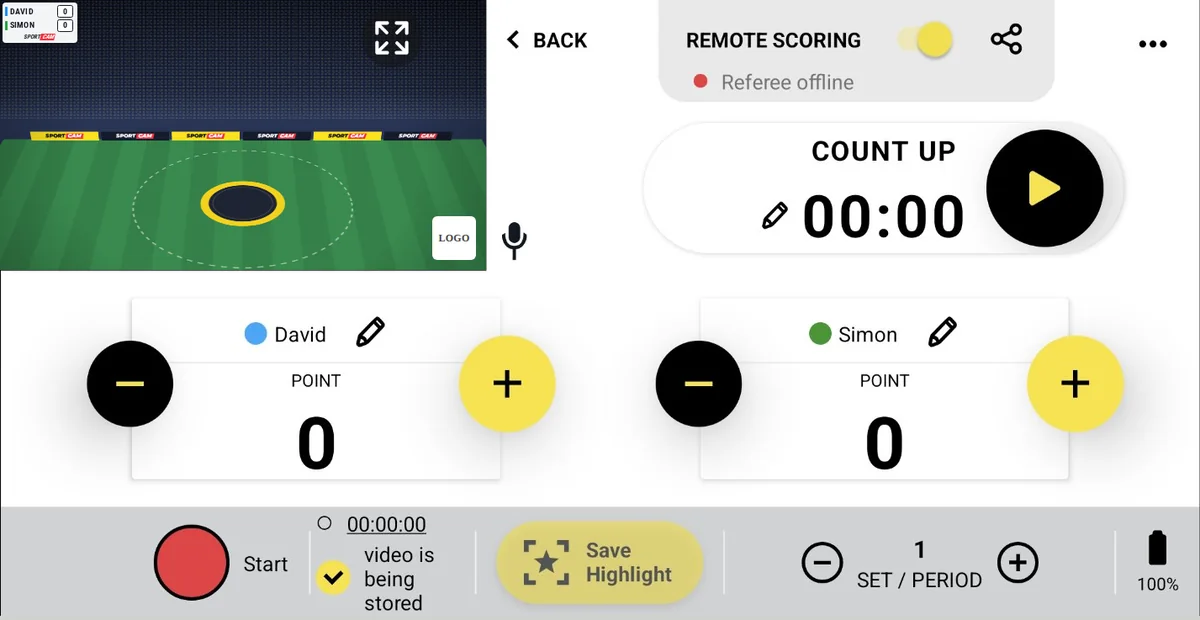
Home → Sports → Football

Football scoreboard with match clock and halves

Goals, a count-up match clock and halves on your live stream. One phone at the halfway line is all it takes.

Start free — 1 week of PRO
SportCam football control panel during a live stream
Your screen during the match

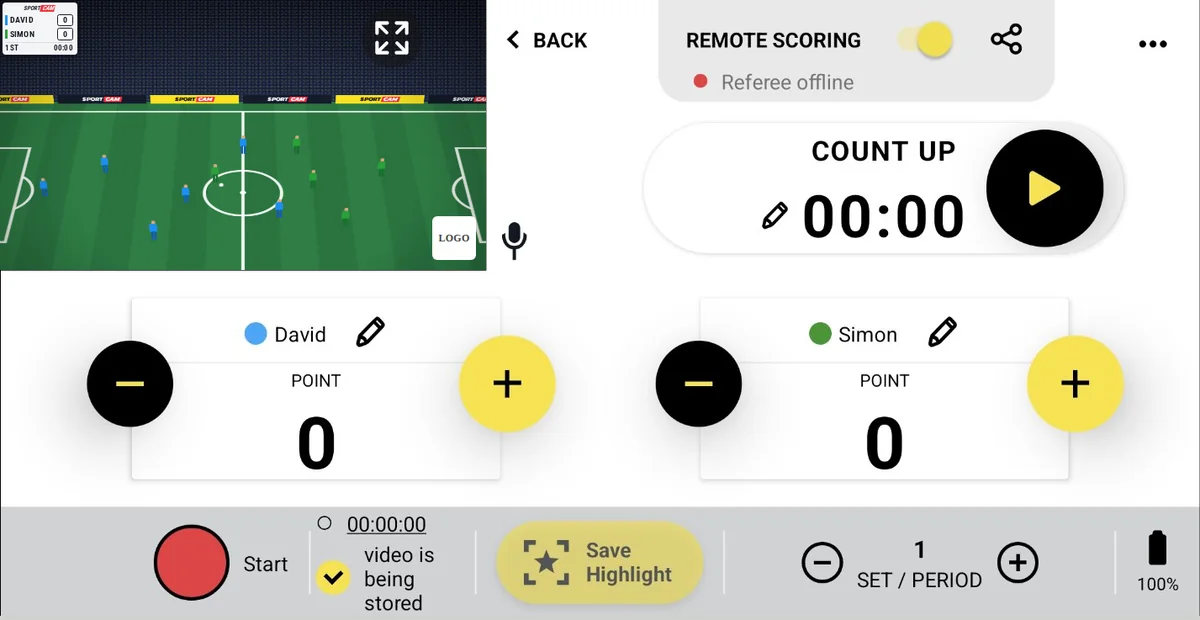
On your control panel

  • Goals in one tapA + and − button for each team. A wrong goal is fixed just as fast as it was added.
  • Match clock that counts upStart it at kick-off, pause it at the whistle and edit the time with the pencil to match the referee.
  • HalvesMove to the second half with one button. Viewers see the half and the minute on the overlay.
★ PRO
Highlights10–15 seconds usually catches the whole attack before the goal. Tap Save Highlight to keep the moment on your phone, show it as an instant replay and join the best ones into one recap after the match.
SPORTCAM
RAPTORS2
FIGHTERS1
2nd67:12
LIVE
Illustration of the overlay your viewers see on Facebook, YouTube or Twitch

What your viewers see

Team names, crests and the score stay in the corner, with the half and the match time underneath.

▶Watch a real streamSK Bronka 2 vs FK Sevliush · local league, Ukraine

Football FAQ

What do I show at halftime?
Turn on the break graphic: a full-screen club or sponsor image with a countdown. The stream keeps running, so viewers stay, and it works the same on Facebook, YouTube and RTMP. Facebook doesn't support pausing a live stream, so this is the clean way to cover the break.
Can someone else keep score while I film?
Either you, with one tap on your phone, or a second person via Remote Scoring: share a QR code and they control the scoreboard from their own phone, no app needed. Watch the Remote Scoring tutorial →

← All sports · All questions

Home → Sports → Baseball

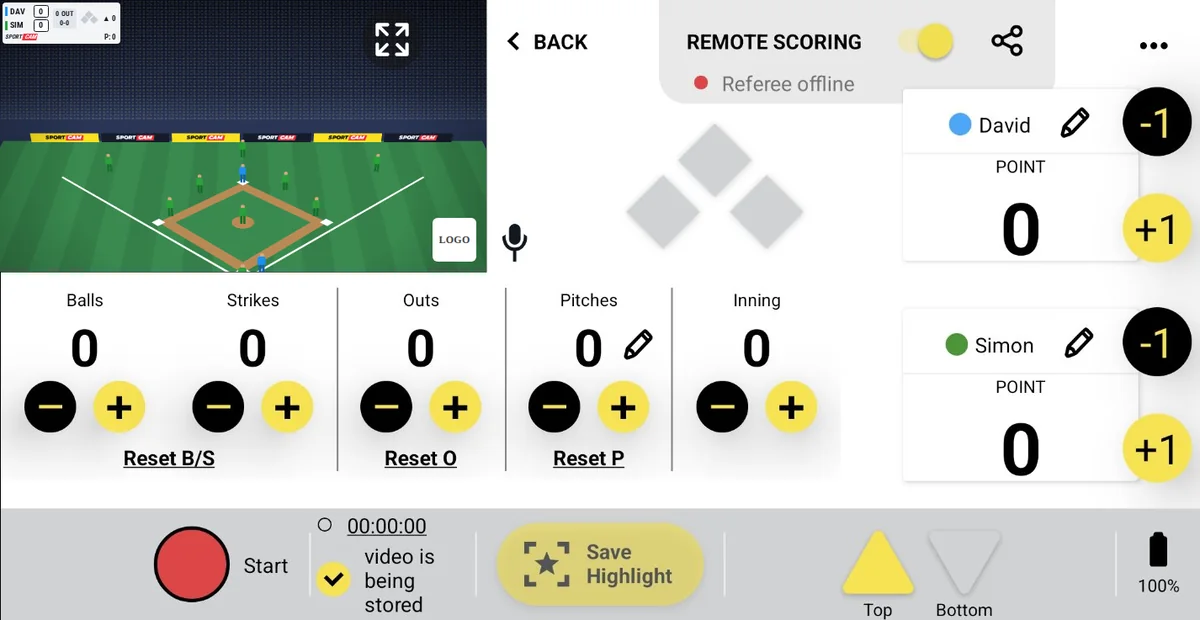
Baseball scoreboard with count, outs and innings

Balls, strikes, outs, runners on base, the inning and the pitch count: the full baseball picture on your stream, run from one screen.

Start free — 1 week of PRO
SportCam baseball control panel during a live stream
Your screen during the match

On your control panel

  • Balls, strikes and outsEach with its own + and −. Reset B/S after every batter and Reset O after the third out.
  • Innings, top and bottomAn inning counter plus Top and Bottom buttons, so viewers always know who is batting.
  • Bases and pitch countMark runners on the bases diamond and keep a pitch count you can type in or reset for a new pitcher.
  • Runs+1 for every run and −1 to correct, for both teams.
★ PRO
Highlights10 seconds covers the pitch and the play that follows. Tap Save Highlight to keep the moment on your phone, show it as an instant replay and join the best ones into one recap after the match.
RAP3
FIG2
1 OUT2-1
▲ 6
SPORTCAMP: 78
LIVE
Illustration of the overlay your viewers see on Facebook, YouTube or Twitch

What your viewers see

Runs, outs, the count, runners on base, the inning and the pitch count, in one compact box.

Baseball FAQ

Can I track the pitch count?
Yes. Pitches has its own counter with + and −. Tap the pencil to type a number, or tap Reset P when a new pitcher comes in.
Is there a game clock?
No. The baseball panel is built around innings and outs, so the clock is left out to keep the overlay clean.

← All sports · All questions

Home → Sports → Basketball

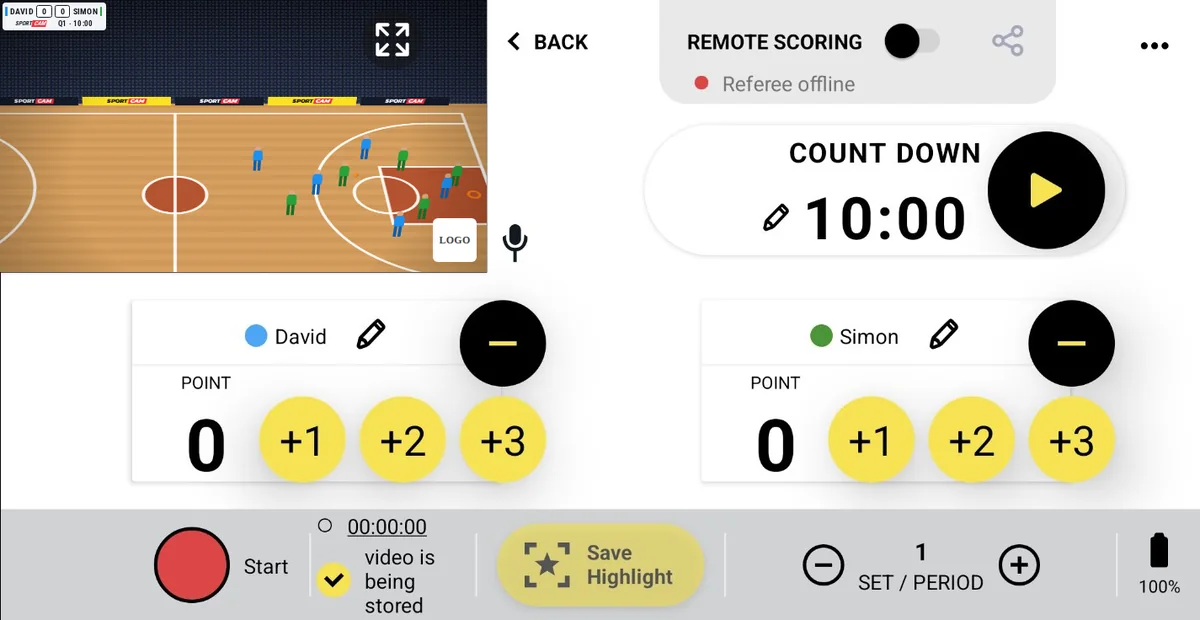
Basketball scoreboard with +1, +2, +3 and game clock

Free throws, twos and threes in one tap, a 10-minute quarter clock and quarters, streamed live from one phone.

Start free — 1 week of PRO
SportCam basketball control panel during a live stream
Your screen during the match

On your control panel

  • +1, +2, +3 in one tapEvery basket is a single tap. The − button corrects a mistake.
  • Countdown game clock10:00 by default for FIBA quarters. Pause it at every whistle and edit the time with the pencil.
  • QuartersMove to the next quarter with the period button.
★ PRO
Highlights5 seconds works best, because the next play starts right after a basket. Tap Save Highlight to keep the moment on your phone, show it as an instant replay and join the best ones into one recap after the match.
RAPTORS6864FIGHTERS
SPORTCAMQ4 · 03:42
LIVE
Illustration of the overlay your viewers see on Facebook, YouTube or Twitch

What your viewers see

Both teams on one line, with the quarter and the clock below: a layout fans know from TV.

▶Watch a real streamCUS Torino vs Pallacanestro Moncalieri · Under 15, Italy

Basketball FAQ

Can I change the quarter length?
Yes. Tap the pencil next to the clock and set any time, for example 12:00, or 8:00 for youth games.
Can someone else keep score while I film?
Either you, with one tap on your phone, or a second person via Remote Scoring: share a QR code and they control the scoreboard from their own phone, no app needed. Watch the Remote Scoring tutorial →

← All sports · All questions

Home → Sports → Cricket

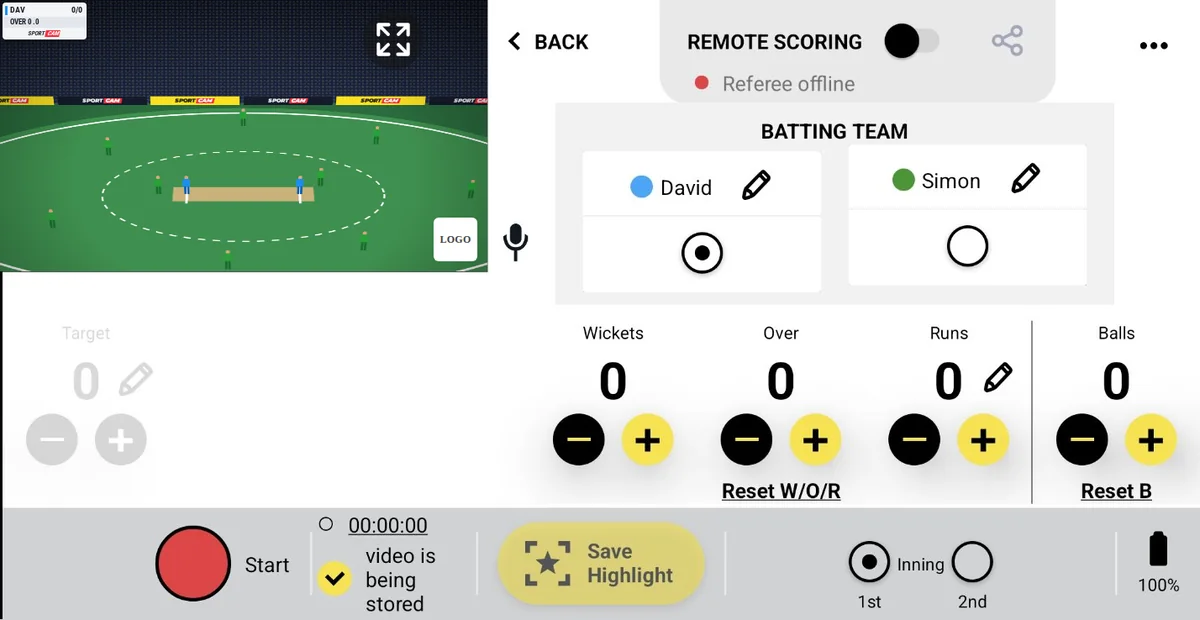
Cricket scoreboard with runs, wickets and overs

Runs, wickets, overs and balls for the batting team, plus the target in the second innings.

Start free — 1 week of PRO
SportCam cricket control panel during a live stream
Your screen during the match

On your control panel

  • Batting teamPick which team is batting. The overlay shows their runs and wickets.
  • Runs, wickets, overs and ballsEach with + and −. Type runs with the pencil, tap Reset B after an over, or Reset W/O/R for a new innings.
  • Innings and targetSwitch between the 1st and 2nd innings and set the target the chasing team needs.
★ PRO
Highlights10 seconds catches the delivery and the shot. Tap Save Highlight to keep the moment on your phone, show it as an instant replay and join the best ones into one recap after the match.
RAP124/3
OVER 16.2
SPORTCAM
LIVE
Illustration of the overlay your viewers see on Facebook, YouTube or Twitch

What your viewers see

The batting team's score as runs/wickets and the current over, like 124/3 · Over 16.2.

Cricket FAQ

Does it work for T20 and longer formats?
Yes. Runs, wickets, overs and innings are counted by you, so any format works.
How do I start the second innings?
Tap 2nd under Innings, switch the batting team and set the target. Reset W/O/R clears wickets, overs and runs.

← All sports · All questions

Home → Sports → Handball

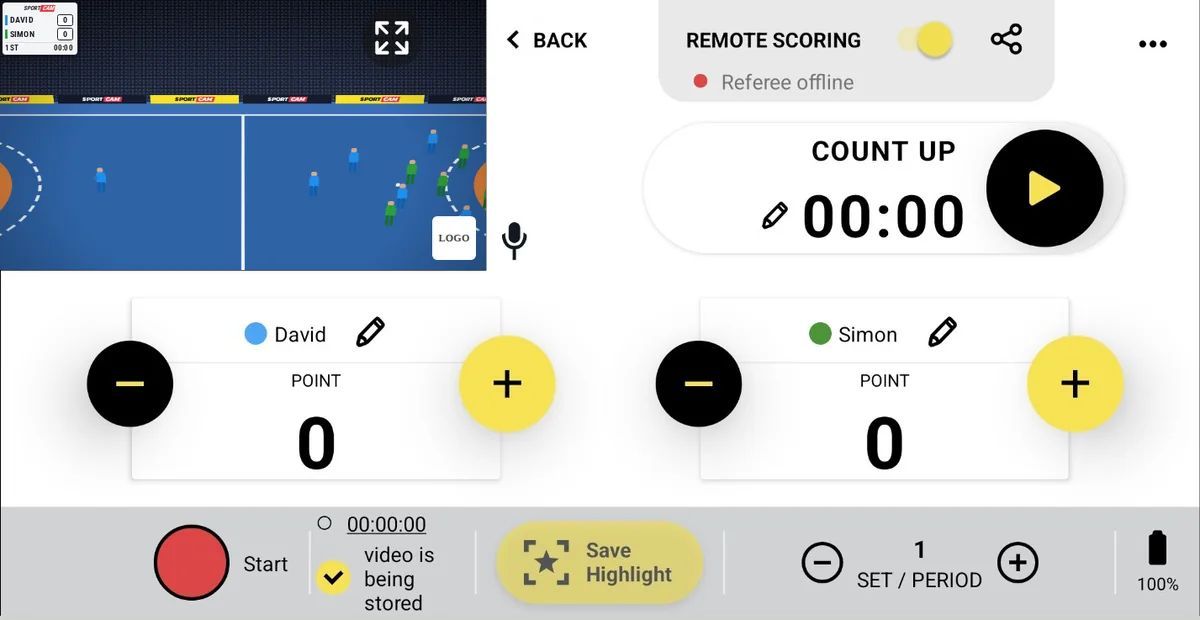
Handball scoreboard with match clock

Goals, a count-up match clock and halves, quick enough for high-scoring handball.

Start free — 1 week of PRO
SportCam handball control panel during a live stream
Your screen during the match

On your control panel

  • Goals in one tapA + and − button for each team, fast enough for handball's pace.
  • Count-up match clockStart, pause and edit the time to stay in sync with the official clock.
  • HalvesSwitch to the second half with one button.
★ PRO
Highlights10 seconds covers a fast break from the steal to the goal. Tap Save Highlight to keep the moment on your phone, show it as an instant replay and join the best ones into one recap after the match.
SPORTCAM
RAPTORS18
FIGHTERS16
2nd47:35
LIVE
Illustration of the overlay your viewers see on Facebook, YouTube or Twitch

What your viewers see

Team names, crests and the score in the corner, with the half and the match time underneath.

▶Watch a real streamSão Paulo vs Guarani · club match, Brazil

Handball FAQ

Can I show a graphic during a team timeout?
Turn on the break graphic: a full-screen club or sponsor image with a countdown. The stream keeps running, so viewers stay, and it works the same on Facebook, YouTube and RTMP.
Can someone else keep score while I film?
Either you, with one tap on your phone, or a second person via Remote Scoring: share a QR code and they control the scoreboard from their own phone, no app needed. Watch the Remote Scoring tutorial →

← All sports · All questions

Home → Sports → Volleyball

Volleyball scoreboard with set-by-set score

Rally points set by set. Every finished set gets its own column on the overlay, so viewers can follow the whole match.

Start free — 1 week of PRO
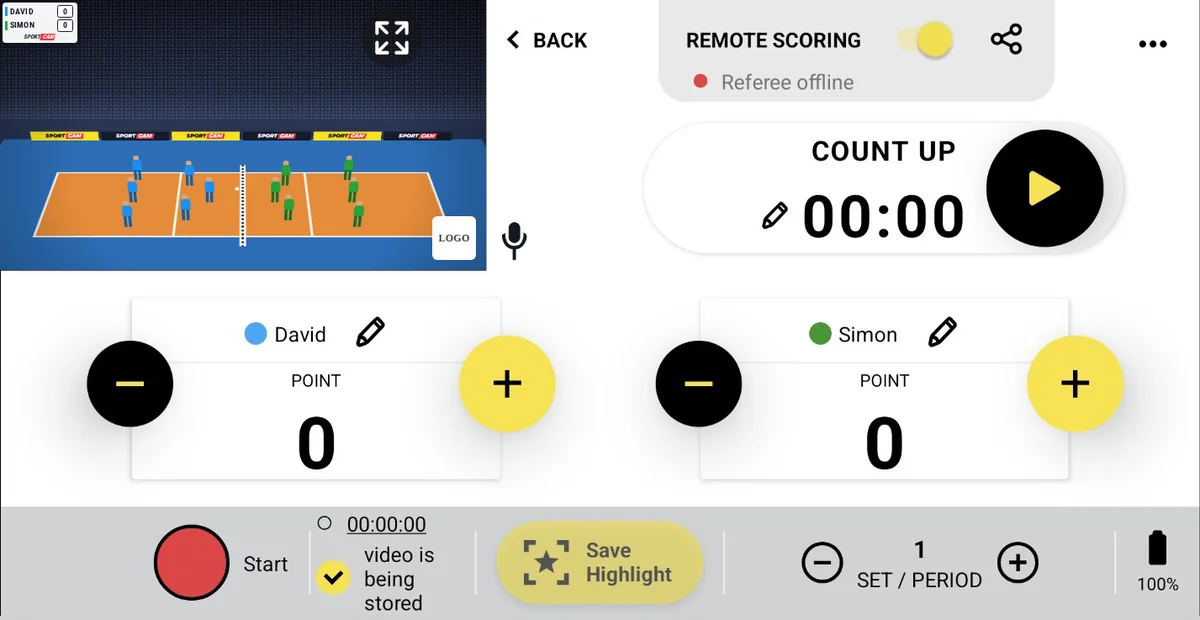
SportCam volleyball control panel during a live stream
Your screen during the match

On your control panel

  • Points in one tapA + and − button for each team, after every rally.
  • SetsMove to the next set with the set button. Every finished set keeps its own column on the overlay.
  • Optional clockA count-up clock if you want to show how long the match has been running.
★ PRO
Highlights10 seconds usually covers a full rally. Tap Save Highlight to keep the moment on your phone, show it as an instant replay and join the best ones into one recap after the match.
RAPTORS252214
FIGHTERS212511
SPORTCAM
LIVE
Illustration of the overlay your viewers see on Facebook, YouTube or Twitch

Volleyball FAQ

Do viewers see the score of earlier sets?
Yes. Each set has its own column, like on a TV broadcast, and the points of the current set are highlighted.
Can I use it for beach volleyball?
Yes. Beach volleyball has its own preset. See the beach volleyball scoreboard →

← All sports · All questions

Home → Sports → Beach Volleyball

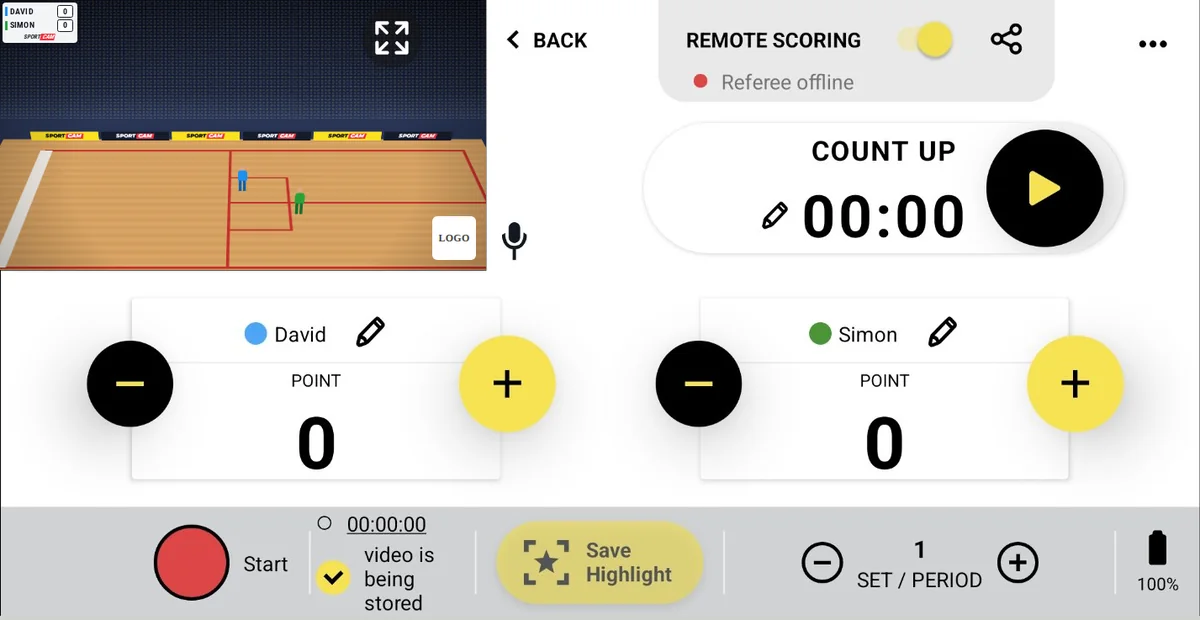
Beach volleyball scoreboard with set-by-set score

A preset of its own for beach volleyball: rally points and a separate column for every set.

Start free — 1 week of PRO
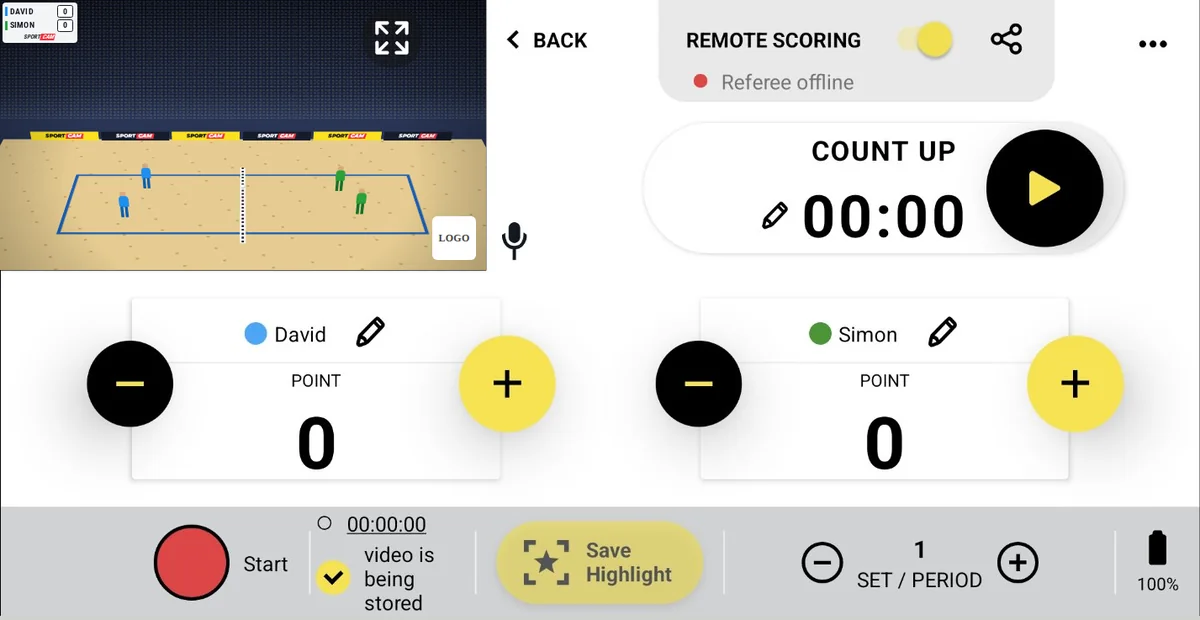
SportCam beach volleyball control panel during a live stream
Your screen during the match

On your control panel

  • Points in one tapA + and − button for each team, after every rally.
  • SetsMove to the next set with the set button. Every finished set keeps its own column on the overlay.
  • Optional clockA count-up clock if you want to show how long the match has been running.
★ PRO
Highlights10 seconds covers a rally from serve to point. Tap Save Highlight to keep the moment on your phone, show it as an instant replay and join the best ones into one recap after the match.
RAPTORS21199
FIGHTERS18217
SPORTCAM
LIVE
Illustration of the overlay your viewers see on Facebook, YouTube or Twitch

What your viewers see

Finished sets in small columns, with the points of the current set in bold.

Beach Volleyball FAQ

Can I stream from the beach without Wi-Fi?
Yes, over mobile data. Or enable recording to phone memory before the match and upload the video with the scoreboard later.
Is there a preset for indoor volleyball?

← All sports · All questions

Home → Sports → Pool Billiards

Pool scoreboard with race-to

Racks won and the race-to target on your stream. Everything a pool match needs, nothing it doesn't.

Start free — 1 week of PRO
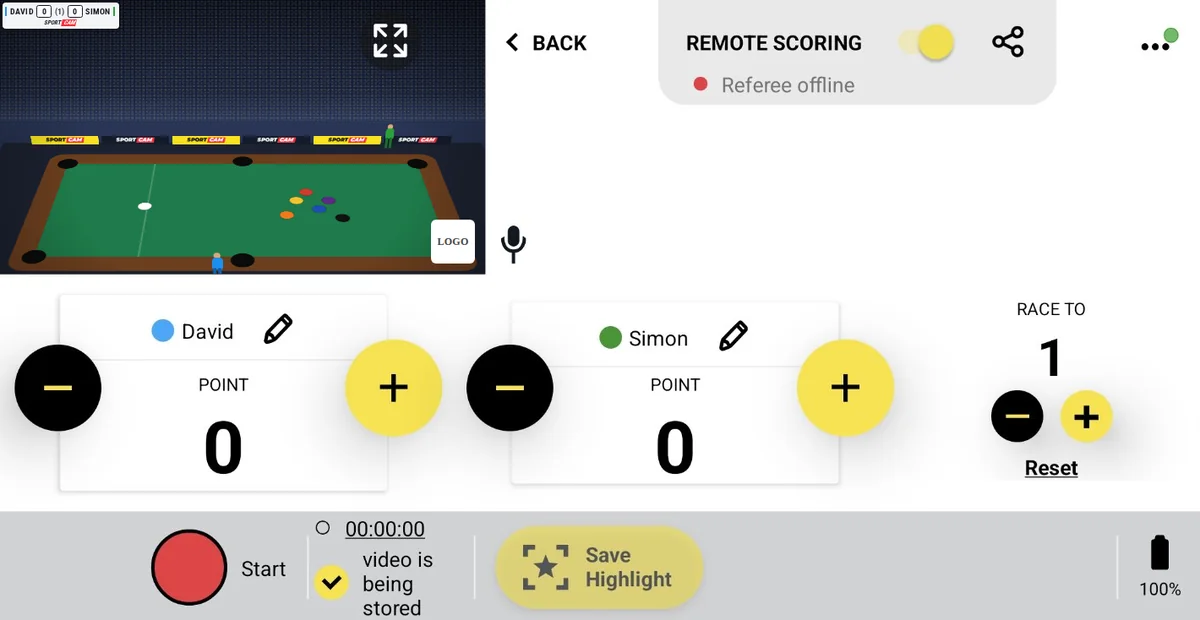
SportCam pool billiards control panel during a live stream
Your screen during the match

On your control panel

  • Racks per playerA + and − button to count racks won.
  • Race toSet how many racks win the match with + and −, or tap Reset.
  • Nothing extraNo match clock and no set counter, so the screen stays simple.
★ PRO
Highlights10 seconds is enough for a clutch shot. Tap Save Highlight to keep the moment on your phone, show it as an instant replay and join the best ones into one recap after the match.
RAPTORS4(7)3FIGHTERS
SPORTCAM
LIVE
Illustration of the overlay your viewers see on Facebook, YouTube or Twitch

What your viewers see

Both players on one line with the race-to target between the scores, like 4 (7) 3.

Pool Billiards FAQ

Does it work for 8-ball, 9-ball and 10-ball?
Yes. You count racks won and set the race-to, so any race format works.
Can someone else keep score while I film?
Either you, with one tap on your phone, or a second person via Remote Scoring: share a QR code and they control the scoreboard from their own phone, no app needed. Watch the Remote Scoring tutorial →

← All sports · All questions

Home → Sports → American Football

American football scoreboard with downs, yards and game clock

Touchdowns, field goals and extra points in one tap, plus down and distance and a 15-minute quarter clock.

Start free — 1 week of PRO
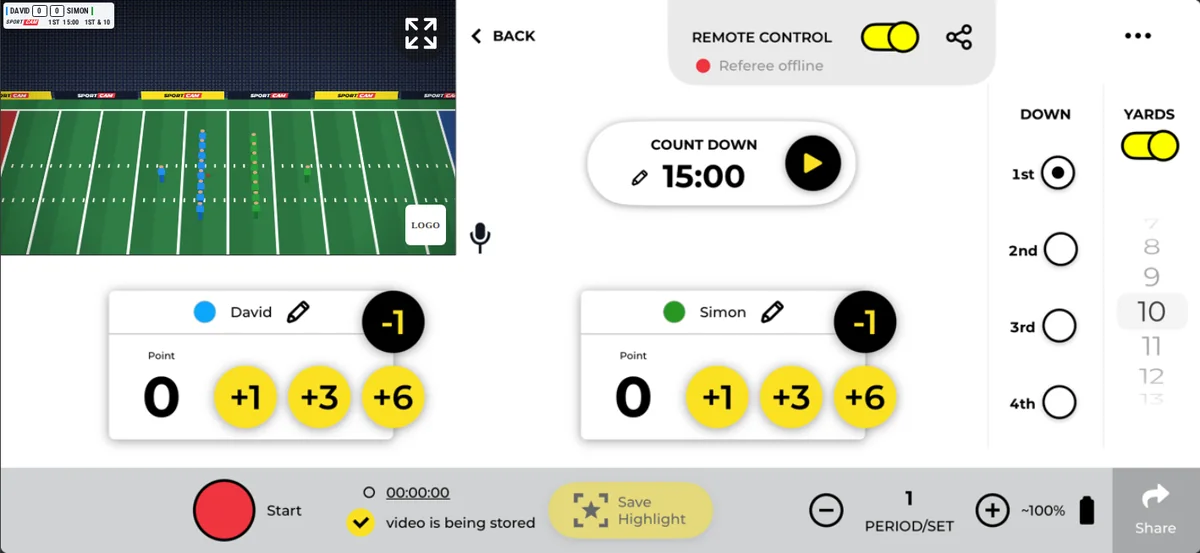
SportCam american football control panel during a live stream
Your screen during the match

On your control panel

  • +1, +3, +6 in one tapExtra point, field goal and touchdown buttons for each team, plus −1 to correct.
  • Down and distancePick 1st to 4th down and set the yards to go. Viewers see it as 2nd & 7.
  • Quarter clockA countdown set to 15:00 by default, editable with the pencil, with a quarter counter.
★ PRO
Highlights15 seconds covers a full play from the snap to the whistle. Tap Save Highlight to keep the moment on your phone, show it as an instant replay and join the best ones into one recap after the match.
RAPTORS1410FIGHTERS
SPORTCAM2nd & 7
LIVE
Illustration of the overlay your viewers see on Facebook, YouTube or Twitch

What your viewers see

Both teams on one line, with down and distance next to the score.

American Football FAQ

How do I add a two-point conversion or a safety?
Tap +1 twice. The −1 button fixes any mistake.
Can I hide the yards?
Yes. The yards indicator has its own on/off switch.

← All sports · All questions

Home → Sports → Curling

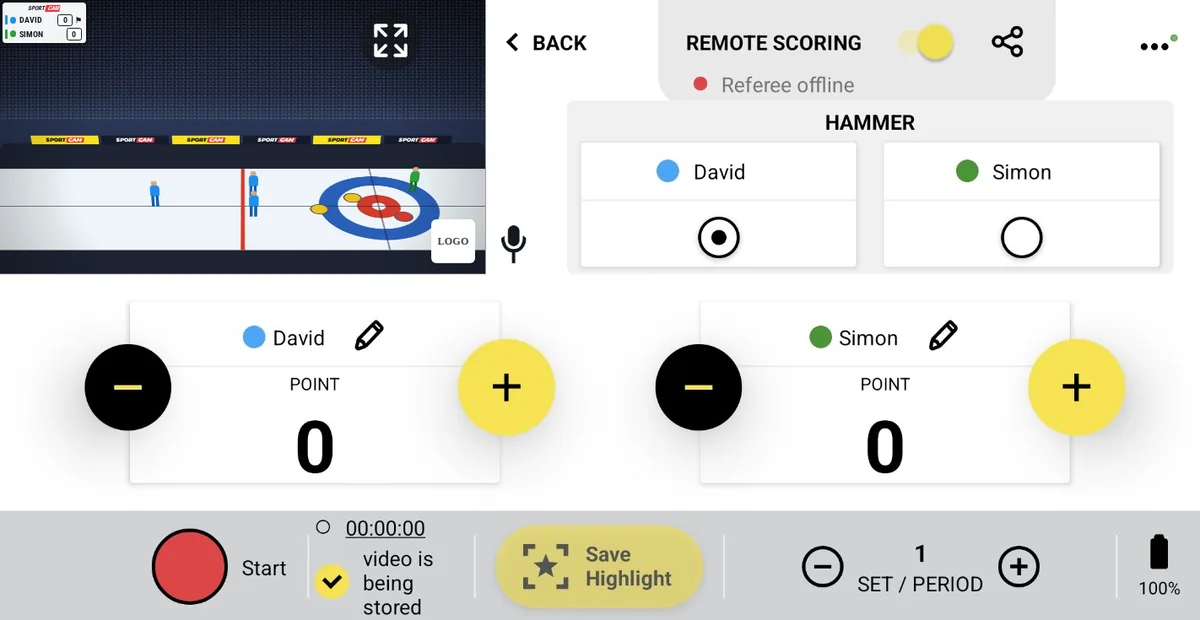
Curling scoreboard with hammer and ends

Points per end and who has the hammer, shown clearly for viewers who follow every stone.

Start free — 1 week of PRO
SportCam curling control panel during a live stream
Your screen during the match

On your control panel

  • HammerMark which team has the last stone. The overlay shows the hammer next to that team.
  • PointsA + and − button for each team after every end.
  • EndsMove to the next end with the period button.
★ PRO
Highlights20 seconds follows a stone from release to the house. Tap Save Highlight to keep the moment on your phone, show it as an instant replay and join the best ones into one recap after the match.
SPORTCAM
RAPTORS5
FIGHTERS4⚑
LIVE
Illustration of the overlay your viewers see on Facebook, YouTube or Twitch

What your viewers see

Team colors, the score and the hammer marker next to the team with the last stone.

Curling FAQ

What does the hammer marker mean?
It shows which team throws the last stone of the end, which usually decides how many points can be scored.
Is there a game clock?
No. The curling panel is built around ends, so it shows the hammer instead of a clock.

← All sports · All questions

Home → Sports → Badminton

Badminton scoreboard with game-by-game score

Rally points and a separate column for every game, so viewers see the whole match at a glance.

Start free — 1 week of PRO
SportCam badminton control panel during a live stream
Your screen during the match

On your control panel

  • Points in one tapA + and − button for each player or pair, after every rally.
  • GamesMove to the next game with the game button. Every finished game keeps its own column on the overlay.
  • Optional clockA count-up clock if you want to show how long the match has been running.
★ PRO
Highlights5 seconds, because badminton rallies are short and fast. Tap Save Highlight to keep the moment on your phone, show it as an instant replay and join the best ones into one recap after the match.
RAPTORS2111
FIGHTERS179
SPORTCAM
LIVE
Illustration of the overlay your viewers see on Facebook, YouTube or Twitch

What your viewers see

Finished games in small columns, with the points of the current game in bold.

Badminton FAQ

Does it work for doubles?
Yes. Type both names into the team field, for example KOWALSKI / NOWAK.
Can someone else keep score while I film?
Either you, with one tap on your phone, or a second person via Remote Scoring: share a QR code and they control the scoreboard from their own phone, no app needed. Watch the Remote Scoring tutorial →

← All sports · All questions

Home → Sports → Squash

Squash scoreboard with game-by-game score

Point-a-rally scoring with a column for every game, ready for league nights and club tournaments.

Start free — 1 week of PRO
SportCam squash control panel during a live stream
Your screen during the match

On your control panel

  • Points in one tapA + and − button for each player, after every rally.
  • GamesMove to the next game with the game button. Every finished game keeps its own column on the overlay.
  • Optional clockA count-up clock if you want to show how long the match has been running.
★ PRO
Highlights10 seconds covers a long rally and the winner. Tap Save Highlight to keep the moment on your phone, show it as an instant replay and join the best ones into one recap after the match.
RAPTORS1196
FIGHTERS7114
SPORTCAM
LIVE
Illustration of the overlay your viewers see on Facebook, YouTube or Twitch

What your viewers see

Finished games in small columns, with the points of the current game in bold.

Squash FAQ

Do viewers see earlier games?
Yes. Every game has its own column, and the points of the current game are highlighted.
Can someone else keep score while I film?
Either you, with one tap on your phone, or a second person via Remote Scoring: share a QR code and they control the scoreboard from their own phone, no app needed. Watch the Remote Scoring tutorial →

← All sports · All questions

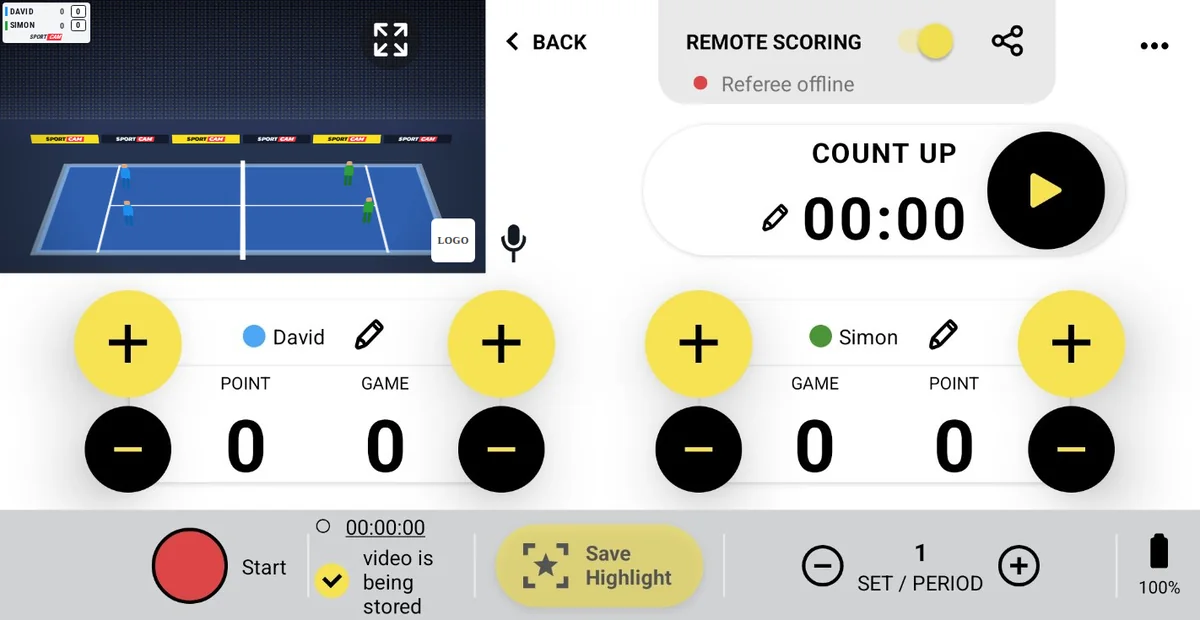
Home → Sports → Tennis

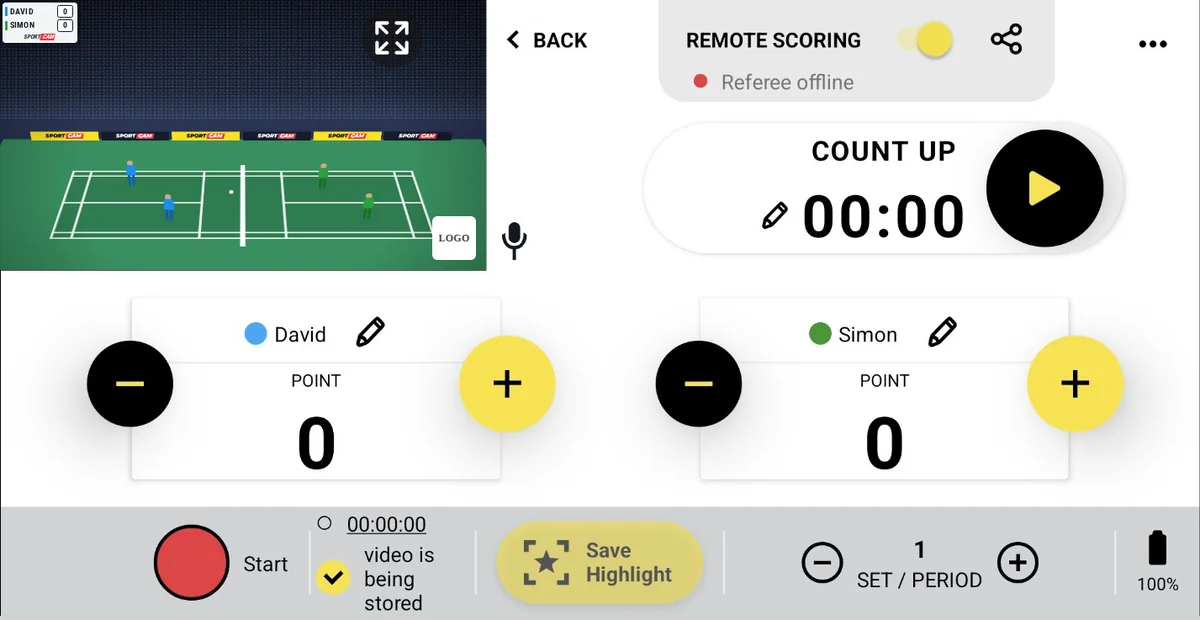
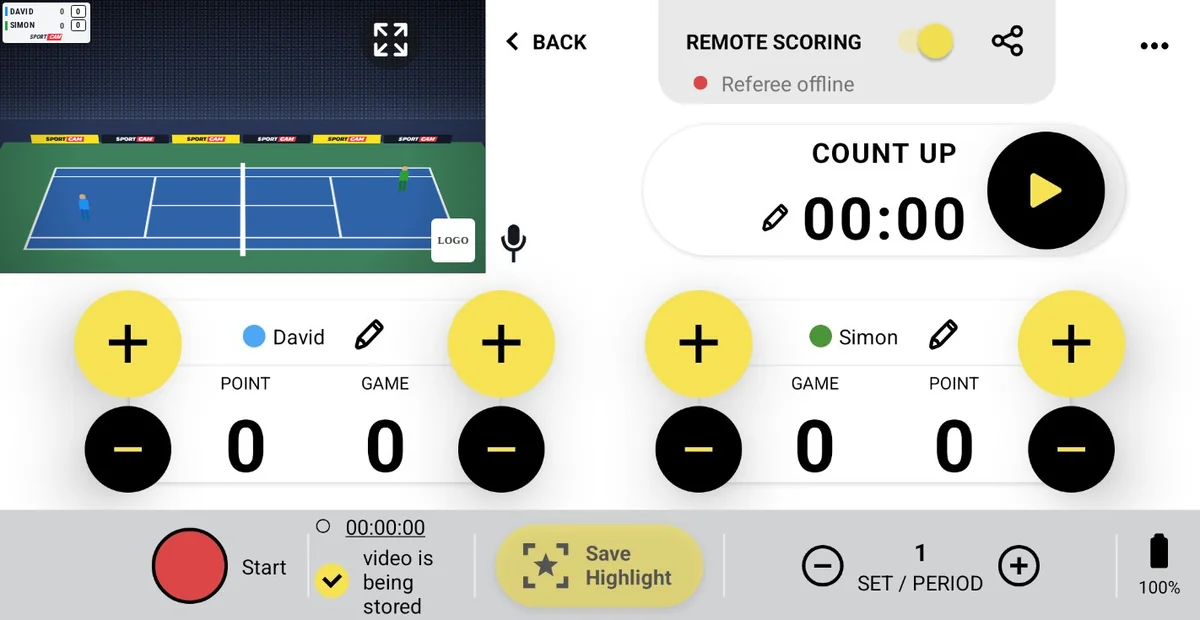
Tennis scoreboard with points, games and sets

Points and games counted separately for each player, with every finished set kept in its own column.

Start free — 1 week of PRO
SportCam tennis control panel during a live stream
Your screen during the match

On your control panel

  • Points and gamesEach player has two counters, points and games, each with its own + and −.
  • SetsMove to the next set with the set button. Finished sets stay on the overlay.
  • Optional clockA count-up clock if you want to show the match time.
★ PRO
Highlights10 seconds covers the rally and the winning shot. Tap Save Highlight to keep the moment on your phone, show it as an instant replay and join the best ones into one recap after the match.
RAPTORS630
FIGHTERS420
SPORTCAM
LIVE
Illustration of the overlay your viewers see on Facebook, YouTube or Twitch

What your viewers see

Sets, games and points side by side, like on TV.

Tennis FAQ

Does it work for doubles?
Yes. Type both names into the team field, for example KOWALSKI / NOWAK.
Can someone else keep score while I film?
Either you, with one tap on your phone, or a second person via Remote Scoring: share a QR code and they control the scoreboard from their own phone, no app needed. Watch the Remote Scoring tutorial →

← All sports · All questions

Home → Sports → Padel

Padel scoreboard with points, games and sets

Points and games for each pair, with every finished set kept in its own column.

Start free — 1 week of PRO
SportCam padel control panel during a live stream
Your screen during the match

On your control panel

  • Points and gamesEach pair has two counters, points and games, each with its own + and −.
  • SetsMove to the next set with the set button. Finished sets stay on the overlay.
  • Optional clockA count-up clock if you want to show the match time.
★ PRO
Highlights10 seconds covers a rally off the glass. Tap Save Highlight to keep the moment on your phone, show it as an instant replay and join the best ones into one recap after the match.
RAPTORS620
FIGHTERS320
SPORTCAM
LIVE
Illustration of the overlay your viewers see on Facebook, YouTube or Twitch

Padel FAQ

How do I show both players of a pair?
Yes. Type both names into the team field, for example KOWALSKI / NOWAK.
Can someone else keep score while I film?
Either you, with one tap on your phone, or a second person via Remote Scoring: share a QR code and they control the scoreboard from their own phone, no app needed. Watch the Remote Scoring tutorial →

← All sports · All questions

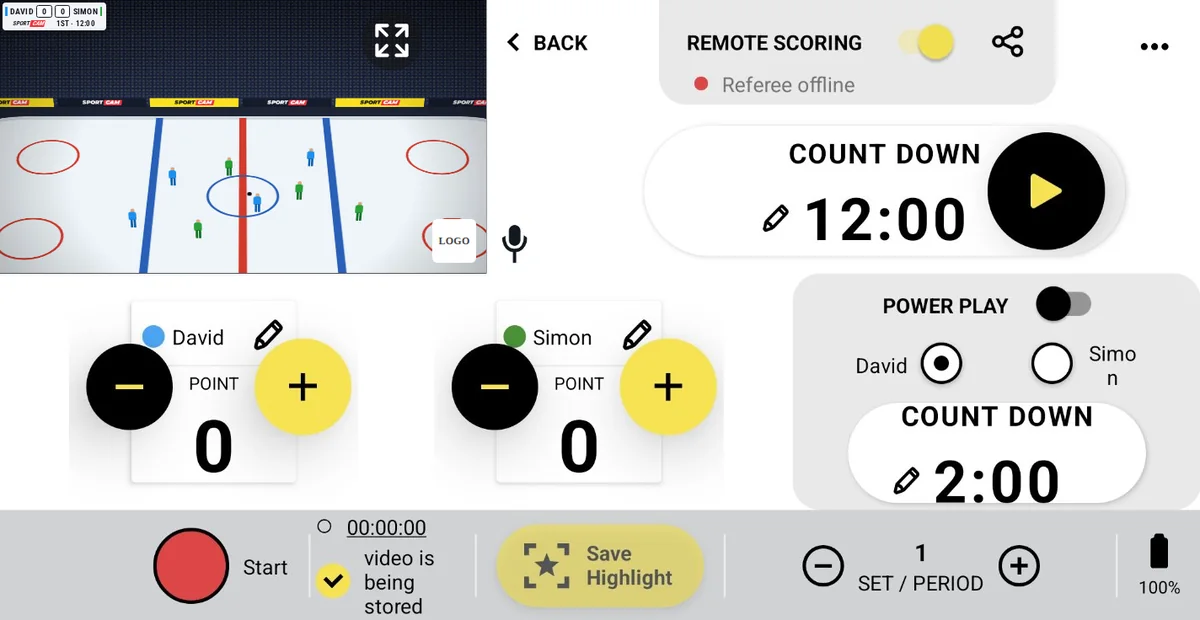
Home → Sports → Ice Hockey

Ice hockey scoreboard with power play timer

Goals, a period countdown and a separate power play timer for 2-minute penalties.

Start free — 1 week of PRO
SportCam ice hockey control panel during a live stream
Your screen during the match

On your control panel

  • GoalsA + and − button for each team.
  • Period clockA countdown, 12:00 by default and editable with the pencil, plus a period counter.
  • Power playSwitch on Power Play, pick the team and run the 2:00 penalty countdown next to the game clock.
★ PRO
Highlights10 seconds catches the rush and the goal. Tap Save Highlight to keep the moment on your phone, show it as an instant replay and join the best ones into one recap after the match.
RAPTORS21FIGHTERS
SPORTCAM2nd · 07:15
LIVE
Illustration of the overlay your viewers see on Facebook, YouTube or Twitch

Ice Hockey FAQ

Can I set 20-minute periods?
Yes. Tap the pencil next to the clock and type 20:00, or any length your league plays.
How does the power play timer work?
Turn on Power Play, choose the team with the extra player and start the 2:00 countdown. It has its own clock, next to the period clock.

← All sports · All questions

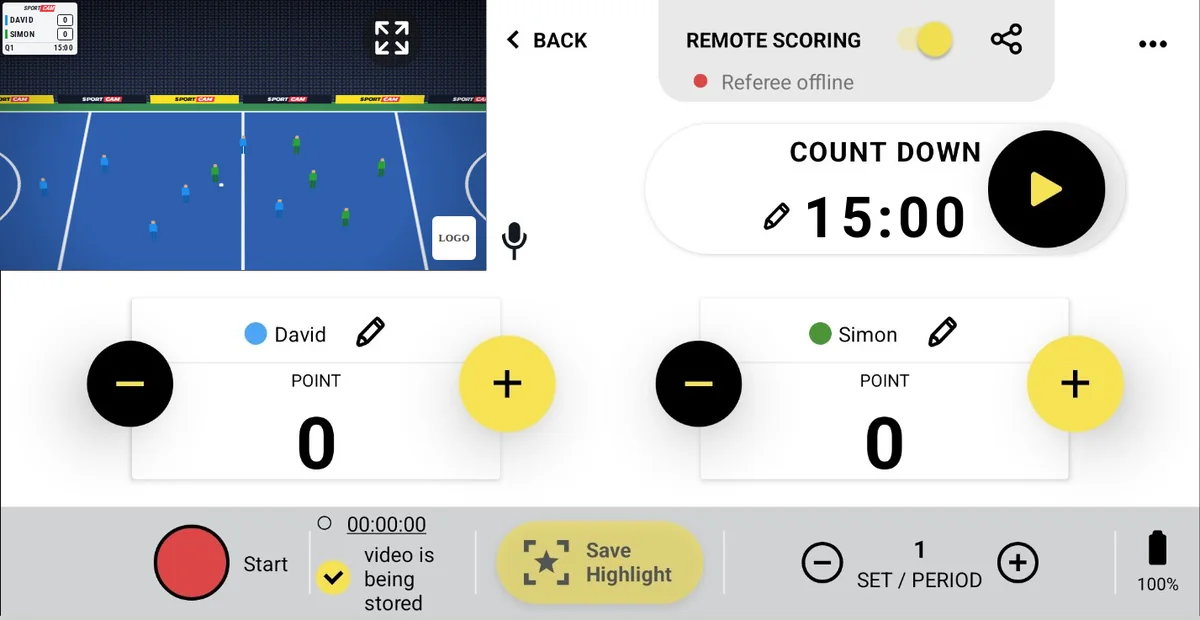
Home → Sports → Field Hockey

Field hockey scoreboard with quarter clock

Goals, a 15-minute quarter countdown and quarters on your live stream.

Start free — 1 week of PRO
SportCam field hockey control panel during a live stream
Your screen during the match

On your control panel

  • GoalsA + and − button for each team.
  • Quarter clockA countdown set to 15:00 by default. Pause it and edit the time with the pencil.
  • QuartersMove to the next quarter with the period button.
★ PRO
Highlights10 seconds covers a penalty corner from the push-out to the shot. Tap Save Highlight to keep the moment on your phone, show it as an instant replay and join the best ones into one recap after the match.
SPORTCAM
RAPTORS1
FIGHTERS0
Q308:20
LIVE
Illustration of the overlay your viewers see on Facebook, YouTube or Twitch

What your viewers see

Team names, crests and the score, with the quarter and the time underneath.

Field Hockey FAQ

What do I show between quarters?
Turn on the break graphic: a full-screen club or sponsor image with a countdown. The stream keeps running, so viewers stay, and it works the same on Facebook, YouTube and RTMP.
Can someone else keep score while I film?
Either you, with one tap on your phone, or a second person via Remote Scoring: share a QR code and they control the scoreboard from their own phone, no app needed. Watch the Remote Scoring tutorial →

← All sports · All questions

Home → Sports → Floorball

Floorball scoreboard with match clock and periods

Goals, a count-up clock and periods, ready for fast floorball.

Start free — 1 week of PRO
SportCam floorball control panel during a live stream
Your screen during the match

On your control panel

  • GoalsA + and − button for each team.
  • Count-up clockStart, pause and edit the time with the pencil to match the official clock.
  • PeriodsMove to the next period with one button.
★ PRO
Highlights10 seconds catches the play and the finish. Tap Save Highlight to keep the moment on your phone, show it as an instant replay and join the best ones into one recap after the match.
SPORTCAM
RAPTORS4
FIGHTERS3
3rd47:22
LIVE
Illustration of the overlay your viewers see on Facebook, YouTube or Twitch

What your viewers see

Team names, crests and the score, with the period and the time underneath.

Floorball FAQ

What do I show between periods?
Turn on the break graphic: a full-screen club or sponsor image with a countdown. The stream keeps running, so viewers stay, and it works the same on Facebook, YouTube and RTMP.
Can someone else keep score while I film?
Either you, with one tap on your phone, or a second person via Remote Scoring: share a QR code and they control the scoreboard from their own phone, no app needed. Watch the Remote Scoring tutorial →

← All sports · All questions

Home → Sports → Teqball

Teqball scoreboard with set-by-set score

Points and a column for every set, for singles and doubles teqball.

Start free — 1 week of PRO
SportCam teqball control panel during a live stream
Your screen during the match

On your control panel

  • Points in one tapA + and − button for each player or pair, after every rally.
  • SetsMove to the next set with the set button. Every finished set keeps its own column on the overlay.
  • Optional clockA count-up clock if you want to show how long the match has been running.
★ PRO
Highlights10 seconds covers a rally. Tap Save Highlight to keep the moment on your phone, show it as an instant replay and join the best ones into one recap after the match.
RAPTORS127
FIGHTERS89
SPORTCAM
LIVE
Illustration of the overlay your viewers see on Facebook, YouTube or Twitch

What your viewers see

Finished sets in small columns, with the points of the current set in bold.

Teqball FAQ

Does it work for doubles?
Yes. Type both names into the team field, for example KOWALSKI / NOWAK.
Can someone else keep score while I film?
Either you, with one tap on your phone, or a second person via Remote Scoring: share a QR code and they control the scoreboard from their own phone, no app needed. Watch the Remote Scoring tutorial →

← All sports · All questions

Home → Sports → Pickleball

Pickleball scoreboard with game-by-game score

Points and a column for every game, for singles and doubles pickleball.

Start free — 1 week of PRO
SportCam pickleball control panel during a live stream
Your screen during the match

On your control panel

  • Points in one tapA + and − button for each player or pair, after every rally.
  • GamesMove to the next game with the game button. Every finished game keeps its own column on the overlay.
  • Optional clockA count-up clock if you want to show how long the match has been running.
★ PRO
Highlights10 seconds covers a dink rally and the put-away. Tap Save Highlight to keep the moment on your phone, show it as an instant replay and join the best ones into one recap after the match.
RAPTORS115
FIGHTERS68
SPORTCAM
LIVE
Illustration of the overlay your viewers see on Facebook, YouTube or Twitch

What your viewers see

Finished games in small columns, with the points of the current game in bold.

Pickleball FAQ

Does it work for doubles?
Yes. Type both names into the team field, for example KOWALSKI / NOWAK.
Can someone else keep score while I film?
Either you, with one tap on your phone, or a second person via Remote Scoring: share a QR code and they control the scoreboard from their own phone, no app needed. Watch the Remote Scoring tutorial →

← All sports · All questions

Home → Sports → Table Tennis

Table tennis scoreboard with game-by-game score

Points and a column for every game, so viewers can follow a best-of-five or best-of-seven match.

Start free — 1 week of PRO
SportCam table tennis control panel during a live stream
Your screen during the match

On your control panel

  • Points in one tapA + and − button for each player, after every rally.
  • GamesMove to the next game with the game button. Every finished game keeps its own column on the overlay.
  • Optional clockA count-up clock if you want to show how long the match has been running.
★ PRO
Highlights5 seconds, because table tennis points are over fast. Tap Save Highlight to keep the moment on your phone, show it as an instant replay and join the best ones into one recap after the match.
RAPTORS1197
FIGHTERS8115
SPORTCAM
LIVE
Illustration of the overlay your viewers see on Facebook, YouTube or Twitch

What your viewers see

Finished games in small columns, with the points of the current game in bold.

Table Tennis FAQ

Does it work for doubles?
Yes. Type both names into the team field, for example KOWALSKI / NOWAK.
Can someone else keep score while I film?
Either you, with one tap on your phone, or a second person via Remote Scoring: share a QR code and they control the scoreboard from their own phone, no app needed. Watch the Remote Scoring tutorial →

← All sports · All questions

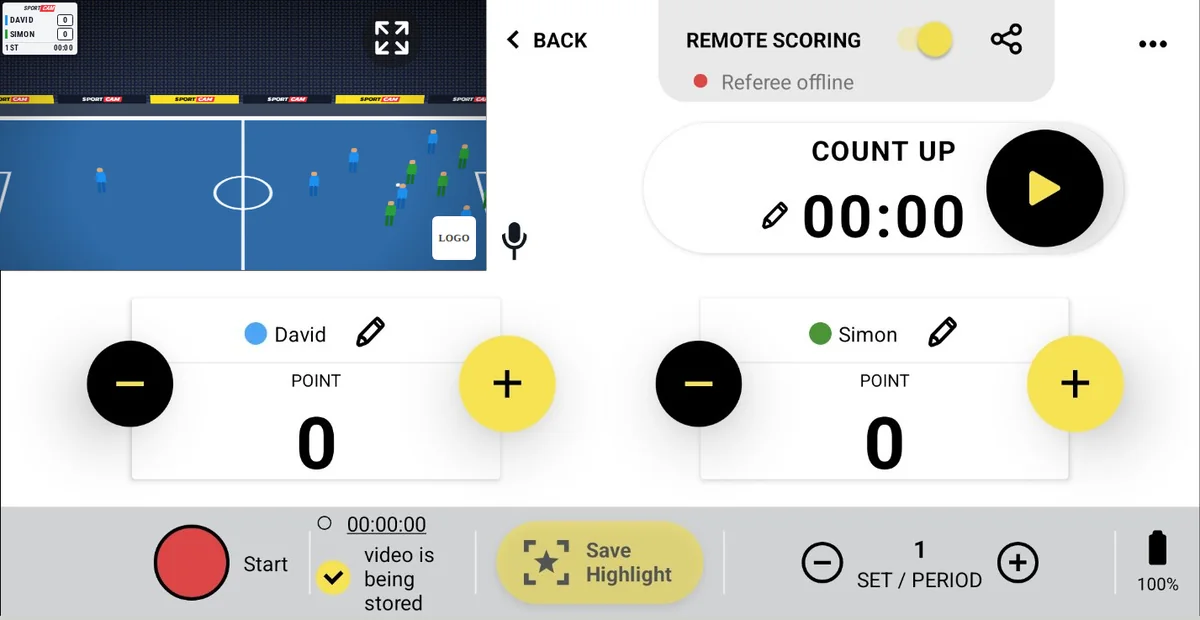
Home → Sports → Futsal

Futsal scoreboard with 20-minute countdown

Goals, a 20-minute half countdown and halves, built for futsal's stopped-clock rhythm.

Start free — 1 week of PRO
SportCam futsal control panel during a live stream
Your screen during the match

On your control panel

  • Goals in one tapA + and − button for each team.
  • Countdown clock20:00 by default for futsal halves. Pause it at every stoppage and edit the time with the pencil.
  • HalvesMove to the second half with one button.
★ PRO
Highlights10 seconds catches the move and the finish. Tap Save Highlight to keep the moment on your phone, show it as an instant replay and join the best ones into one recap after the match.
SPORTCAM
RAPTORS3
FIGHTERS2
2nd12:41
LIVE
Illustration of the overlay your viewers see on Facebook, YouTube or Twitch

What your viewers see

Team names, crests and the score, with the half and the time left underneath.

Futsal FAQ

Can I stop the clock when the ball is out?
Yes. Pause and restart it with one tap, so you can follow futsal's stopped-clock rules.
Can someone else keep score while I film?
Either you, with one tap on your phone, or a second person via Remote Scoring: share a QR code and they control the scoreboard from their own phone, no app needed. Watch the Remote Scoring tutorial →

← All sports · All questions

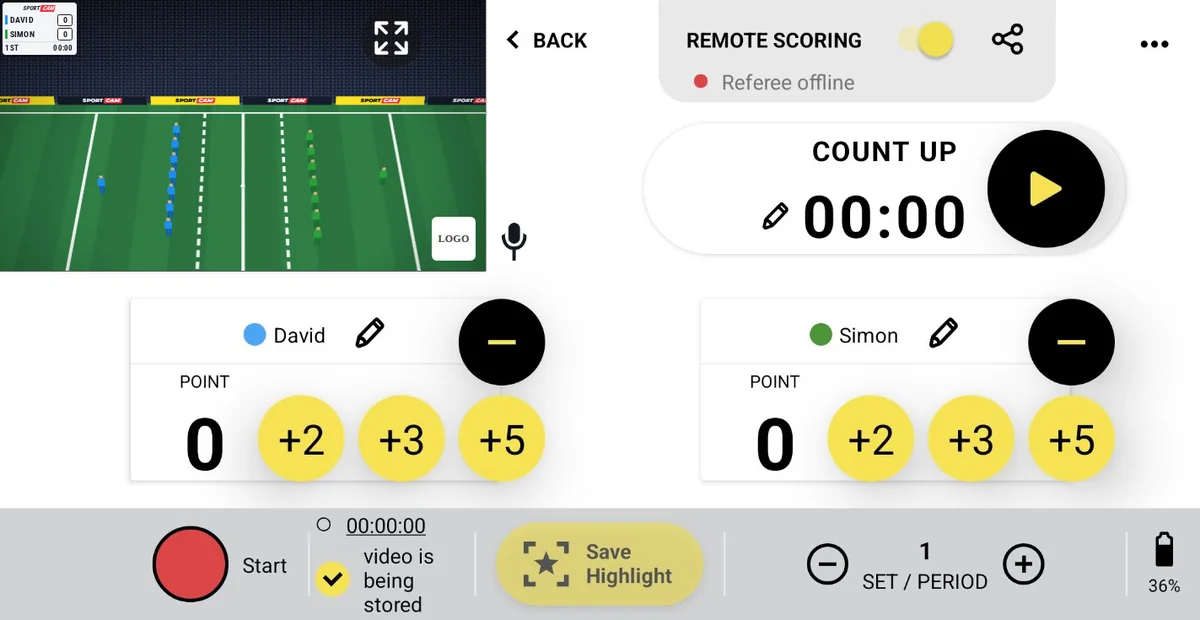
Home → Sports → Rugby XV

Rugby union scoreboard with try, conversion and penalty buttons

+5 for a try, +2 for a conversion, +3 for a penalty or drop goal: rugby XV scoring in one tap.

Start free — 1 week of PRO
SportCam rugby xv control panel during a live stream
Your screen during the match

On your control panel

  • +2, +3, +5 in one tapConversion, penalty or drop goal, and try, plus − to correct.
  • Match clockA count-up clock you can pause and edit with the pencil.
  • HalvesMove to the second half with one button.
★ PRO
Highlights15 seconds covers the build-up to a try. Tap Save Highlight to keep the moment on your phone, show it as an instant replay and join the best ones into one recap after the match.
SPORTCAM
RAPTORS17
FIGHTERS12
2nd58:03
LIVE
Illustration of the overlay your viewers see on Facebook, YouTube or Twitch

What your viewers see

Team names, crests and the score, with the half and the match time underneath.

Rugby XV FAQ

How do I add a penalty try?
A penalty try is worth 7 points: tap +5 and then +2.
Can someone else keep score while I film?
Either you, with one tap on your phone, or a second person via Remote Scoring: share a QR code and they control the scoreboard from their own phone, no app needed. Watch the Remote Scoring tutorial →

← All sports · All questions

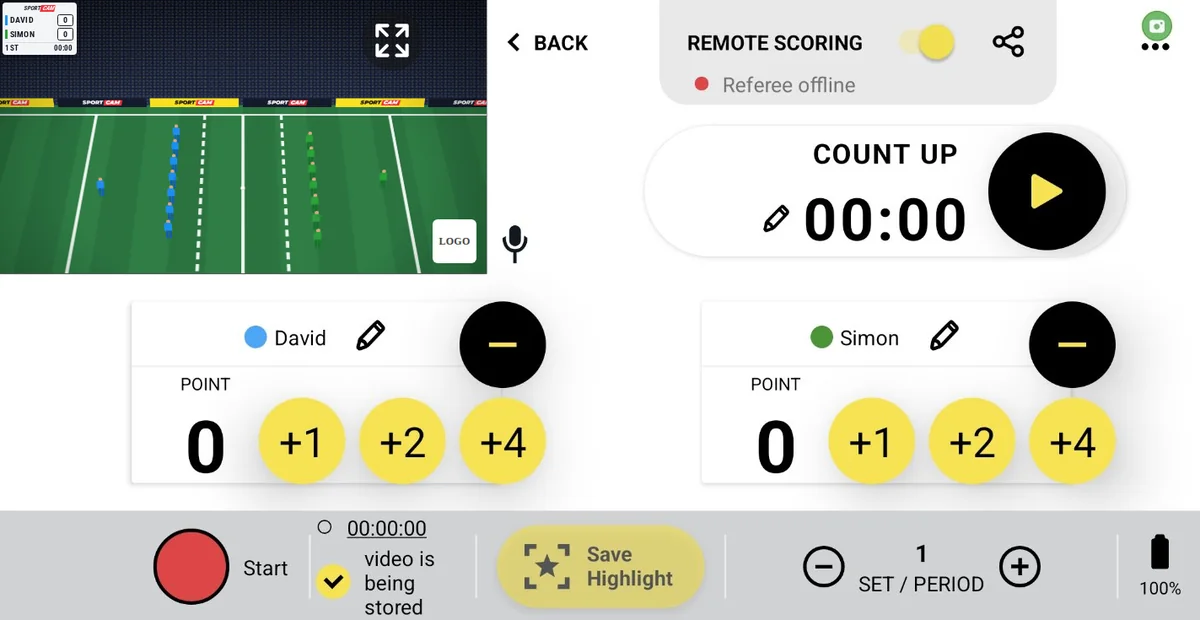
Home → Sports → Rugby XIII

Rugby league scoreboard with try, goal and drop-goal buttons

+4 for a try, +2 for a goal, +1 for a drop goal: rugby XIII scoring in one tap.

Start free — 1 week of PRO
SportCam rugby xiii control panel during a live stream
Your screen during the match

On your control panel

  • +1, +2, +4 in one tapDrop goal, conversion or penalty goal, and try, plus − to correct.
  • Match clockA count-up clock you can pause and edit with the pencil.
  • HalvesMove to the second half with one button.
★ PRO
Highlights15 seconds covers the build-up to a try. Tap Save Highlight to keep the moment on your phone, show it as an instant replay and join the best ones into one recap after the match.
SPORTCAM
RAPTORS18
FIGHTERS14
2nd61:40
LIVE
Illustration of the overlay your viewers see on Facebook, YouTube or Twitch

What your viewers see

Team names, crests and the score, with the half and the match time underneath.

Rugby XIII FAQ

What about a 2-point field goal?
Some competitions give 2 points for a long-range drop goal. Tap +2.
Can someone else keep score while I film?
Either you, with one tap on your phone, or a second person via Remote Scoring: share a QR code and they control the scoreboard from their own phone, no app needed. Watch the Remote Scoring tutorial →

← All sports · All questions

Home → Sports → Roundnet

Roundnet scoreboard for live streams

Roundnet has its own preset in SportCam, with a scoreboard you control from your phone or from a second device.

Start free — 1 week of PRO
SportCam roundnet control panel during a live stream
Your screen during the match

On your control panel

  • Its own presetPick Roundnet in the first step when you create the stream.
  • Score from a second phoneShare a QR code and a teammate keeps the score while you film.
  • HighlightsSave the best rallies with one tap and replay them live.
★ PRO
Highlights5 seconds, because roundnet rallies are short. Tap Save Highlight to keep the moment on your phone, show it as an instant replay and join the best ones into one recap after the match.
RAPTORS218
FIGHTERS156
SPORTCAM
LIVE
Illustration of the overlay your viewers see on Facebook, YouTube or Twitch

What your viewers see

Team names and the score in the corner of your stream.

Roundnet FAQ

Can someone else keep score while I film?
Either you, with one tap on your phone, or a second person via Remote Scoring: share a QR code and they control the scoreboard from their own phone, no app needed. Watch the Remote Scoring tutorial →

← All sports · All questions

Home → Sports → Other Sports

Scoreboard for any other sport

Your sport isn't on the list? Pick Other sports and choose how the score works: one running score, or a separate column for every set.

Start free — 1 week of PRO
SPORTCAM
RAPTORS12
FIGHTERS9
LIVE
One running score
RAPTORS2510
FIGHTERS218
SPORTCAM
LIVE
A column for every set
Illustration of the overlay your viewers see on Facebook, YouTube or Twitch

How it works

  • One running scorePoints add up across the whole game, like in football.
  • A column for every setEach set gets its own column on the overlay, like in squash or volleyball.
  • Remote Scoring and HighlightsEverything else works like in the other presets.
★ PRO
HighlightsPick 5, 10, 15 or 20 seconds when you set up the stream, whatever fits your sport. Tap Save Highlight to keep the moment on your phone, show it as an instant replay and join the best ones into one recap after the match.

The overlay follows the scoring type you pick when you create the stream.

Other Sports FAQ

Which scoring type should I choose?
If your sport adds points up over the whole game, choose one running score. If it is played in sets or games, choose a column for every set.
Can someone else keep score while I film?
Either you, with one tap on your phone, or a second person via Remote Scoring: share a QR code and they control the scoreboard from their own phone, no app needed. Watch the Remote Scoring tutorial →

← All sports · All questions

Your next match, live in 60 seconds

Free to download. One week of full PRO included — no credit card needed.